Pulse Signals - Hospital management application (Part 1 - Administrator Dashboard)
A hospital management system for hospital administrators, doctors, nurses, etc.
A hospital management system for hospital administrators, doctors, nurses, etc.
A hospital management system for hospital administrators, doctors, nurses, etc.
Client
Pulse Signals Limited
Role
UI & UX Design
Industries
E-Health
Date
November 2022
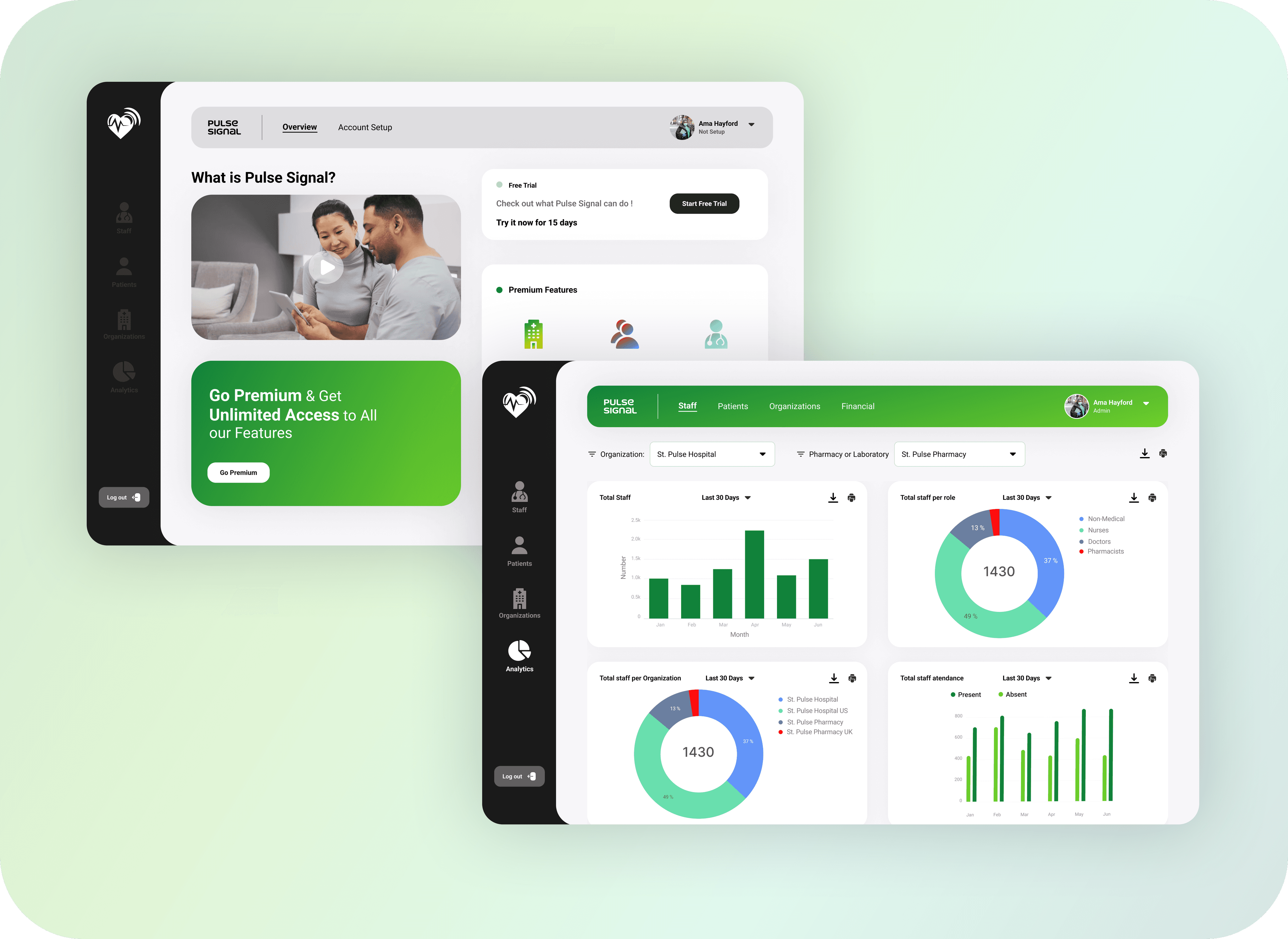
Pulse Signals is a web/desktop application designed to simplify hospital management by providing a user-friendly interface for hospital administrators, doctors, nurses, and other healthcare professionals. The application allows users to access patient information, manage appointments, track medical inventory, and much more. The goal of this project is to create a comprehensive hospital management system that improves efficiency and enhances patient care. In this case study, I would be focusing on the the first part of the entire system, the Administrator Dashboard, which was designed for hospital administrators, to help them easily track and manage staff and patient data for their hospitals.
Pulse Signals is a web/desktop application designed to simplify hospital management by providing a user-friendly interface for hospital administrators, doctors, nurses, and other healthcare professionals. The application allows users to access patient information, manage appointments, track medical inventory, and much more. The goal of this project is to create a comprehensive hospital management system that improves efficiency and enhances patient care. In this case study, I would be focusing on the the first part of the entire system, the Administrator Dashboard, which was designed for hospital administrators, to help them easily track and manage staff and patient data for their hospitals.
Pulse Signals is a web/desktop application designed to simplify hospital management by providing a user-friendly interface for hospital administrators, doctors, nurses, and other healthcare professionals. The application allows users to access patient information, manage appointments, track medical inventory, and much more. The goal of this project is to create a comprehensive hospital management system that improves efficiency and enhances patient care. In this case study, I would be focusing on the the first part of the entire system, the Administrator Dashboard, which was designed for hospital administrators, to help them easily track and manage staff and patient data for their hospitals.
The problem Hospital administrators face a myriad of challenges in managing the operations of a healthcare facility. They need to keep track of patient records and, coordinate with doctors and nurses, and ensure that the hospital complies with regulations and standards. The complexity of these tasks can be overwhelming, and manual processes are prone to errors, delays, and inefficiencies. Therefore, there is a need for a user-friendly and comprehensive hospital management system that can streamline administrative tasks, reduce workload, and enhance patient care.
The problem Hospital administrators face a myriad of challenges in managing the operations of a healthcare facility. They need to keep track of patient records and, coordinate with doctors and nurses, and ensure that the hospital complies with regulations and standards. The complexity of these tasks can be overwhelming, and manual processes are prone to errors, delays, and inefficiencies. Therefore, there is a need for a user-friendly and comprehensive hospital management system that can streamline administrative tasks, reduce workload, and enhance patient care.
The problem Hospital administrators face a myriad of challenges in managing the operations of a healthcare facility. They need to keep track of patient records and, coordinate with doctors and nurses, and ensure that the hospital complies with regulations and standards. The complexity of these tasks can be overwhelming, and manual processes are prone to errors, delays, and inefficiencies. Therefore, there is a need for a user-friendly and comprehensive hospital management system that can streamline administrative tasks, reduce workload, and enhance patient care.
Project Goals 1. Streamline administrative tasks. 2. Optimize resource utilization. 3. Increase data accuracy and security. 4. A customizable application to meet hospital needs
Project Goals 1. Streamline administrative tasks. 2. Optimize resource utilization. 3. Increase data accuracy and security. 4. A customizable application to meet hospital needs
Project Goals 1. Streamline administrative tasks. 2. Optimize resource utilization. 3. Increase data accuracy and security. 4. A customizable application to meet hospital needs
The Research
The Research
The Research
Research Summary The research I did for the Pulse Signals hospital management application included a range of methods to understand user needs, preferences, and pain points. The research included interviews, surveys, and usability testing with hospital administrators, doctors, nurses, and other healthcare professionals, to fully understand the needs of hospital administrators, and how their work affects healthcare delivey and their interaction with other healthcare workers in their hospitals.
Research Summary The research I did for the Pulse Signals hospital management application included a range of methods to understand user needs, preferences, and pain points. The research included interviews, surveys, and usability testing with hospital administrators, doctors, nurses, and other healthcare professionals, to fully understand the needs of hospital administrators, and how their work affects healthcare delivey and their interaction with other healthcare workers in their hospitals.
Research Summary The research I did for the Pulse Signals hospital management application included a range of methods to understand user needs, preferences, and pain points. The research included interviews, surveys, and usability testing with hospital administrators, doctors, nurses, and other healthcare professionals, to fully understand the needs of hospital administrators, and how their work affects healthcare delivey and their interaction with other healthcare workers in their hospitals.
Pain Points 1. Carrying out administrative tasks manually is time consuming. 2. Difficulty managing resources manually. 3. Lack of real time data and analytics. 4. Complex and unintuitive software systems
Pain Points 1. Carrying out administrative tasks manually is time consuming. 2. Difficulty managing resources manually. 3. Lack of real time data and analytics. 4. Complex and unintuitive software systems
Pain Points 1. Carrying out administrative tasks manually is time consuming. 2. Difficulty managing resources manually. 3. Lack of real time data and analytics. 4. Complex and unintuitive software systems
Meet the Users
Meet the Users
Meet the Users
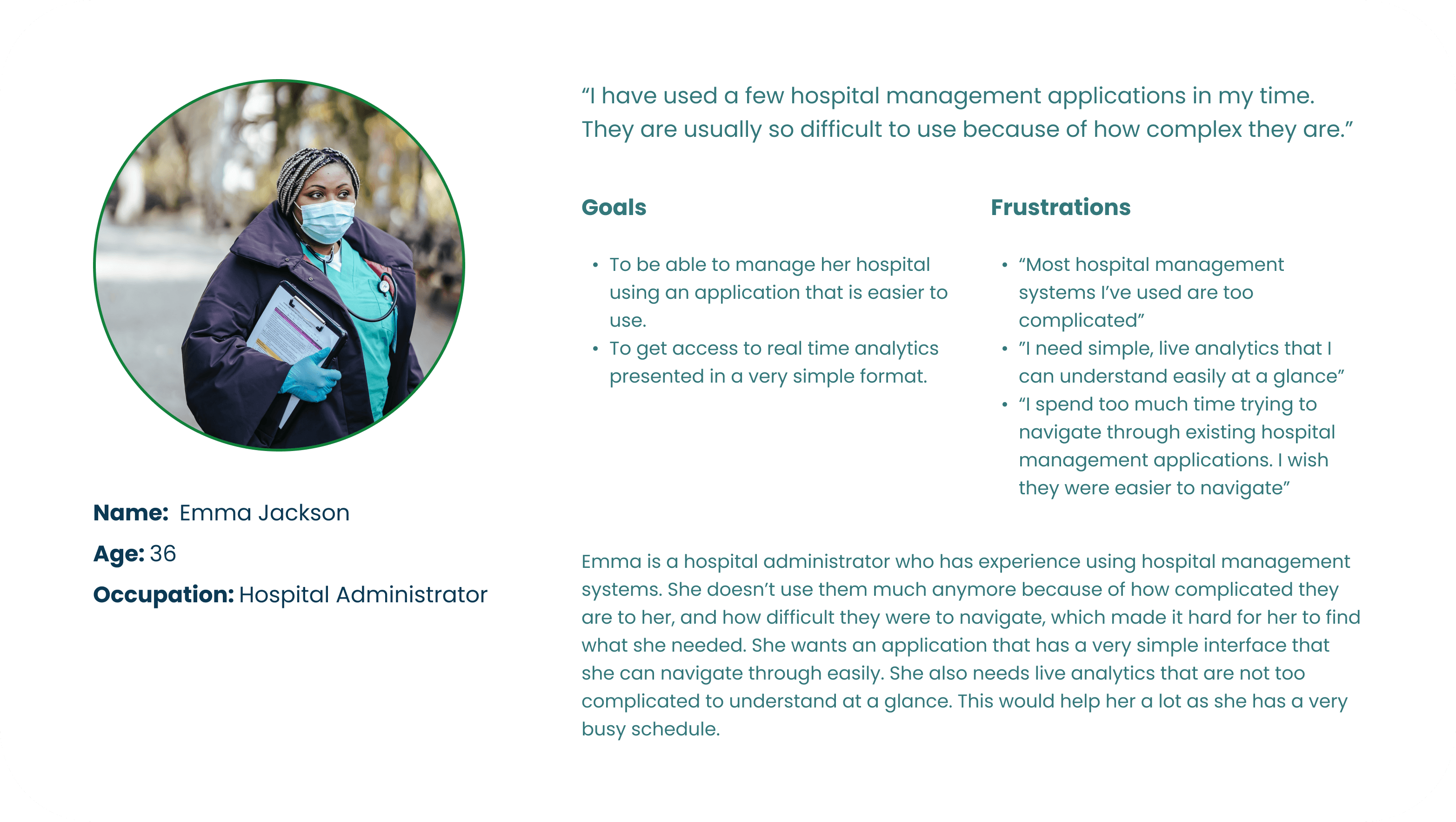
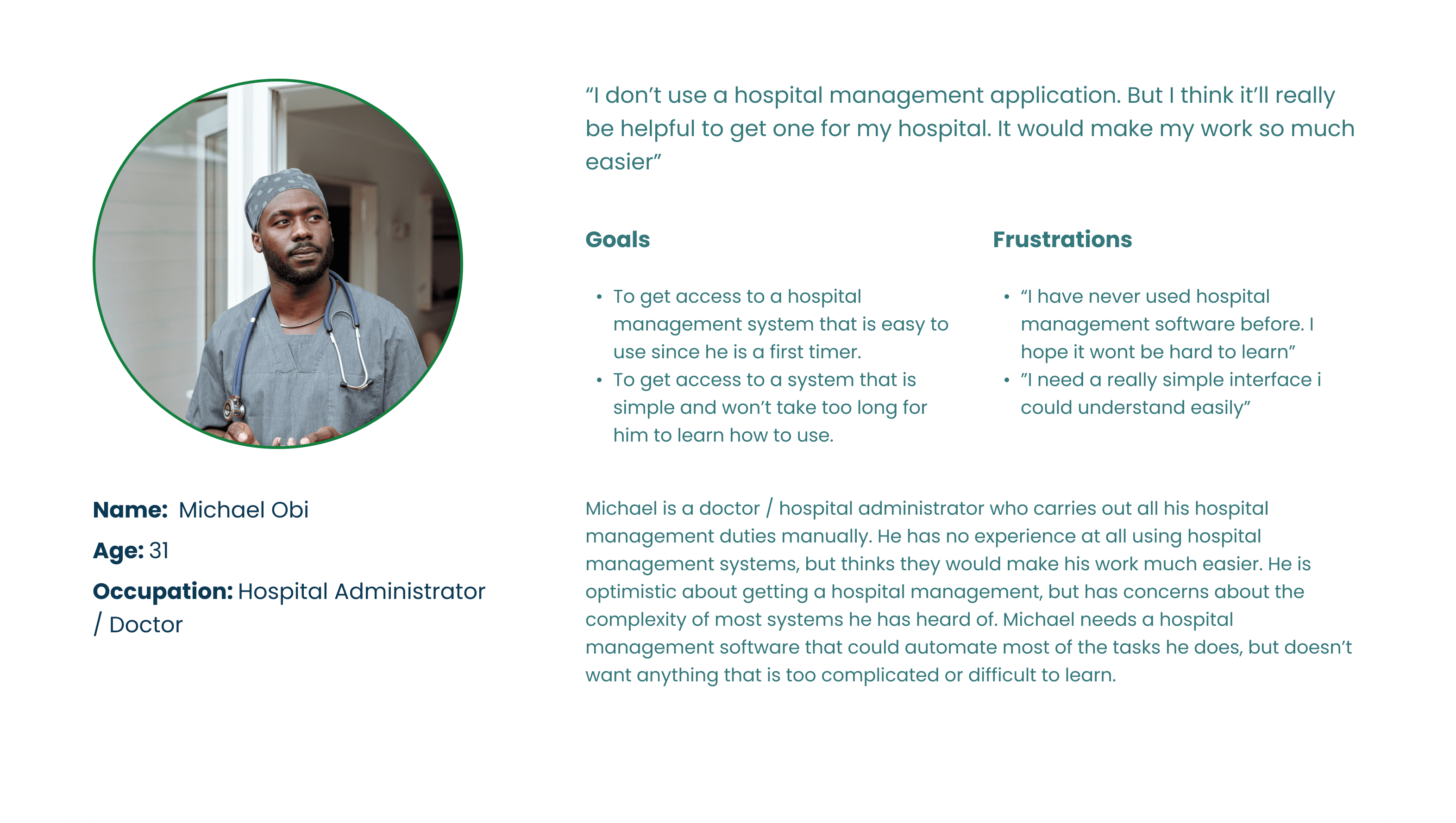
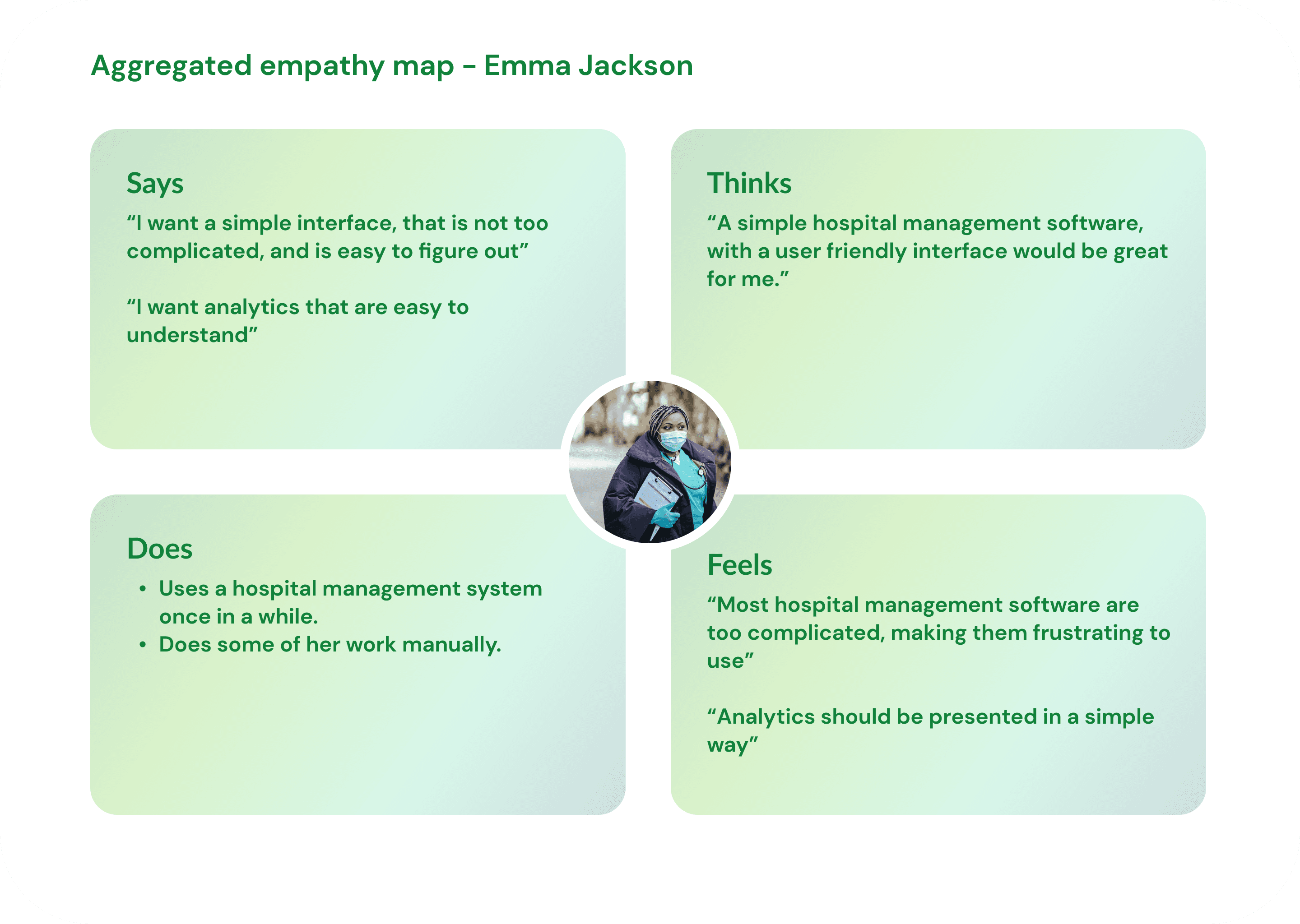
Empathy Map I created an empathy map to help develop a deeper understanding of the users by examining their emotions, attitudes, behaviors, and motivations. Specifically, an empathy map focuses on what the user says, does, thinks and feels. By examining these aspects of a users emotions and behaviors, we can establish a connection with the user and understand them much better. For this case study, I would show an aggregated empathy map that combines similar expressions from users during my research.
Empathy Map I created an empathy map to help develop a deeper understanding of the users by examining their emotions, attitudes, behaviors, and motivations. Specifically, an empathy map focuses on what the user says, does, thinks and feels. By examining these aspects of a users emotions and behaviors, we can establish a connection with the user and understand them much better. For this case study, I would show an aggregated empathy map that combines similar expressions from users during my research.
Empathy Map I created an empathy map to help develop a deeper understanding of the users by examining their emotions, attitudes, behaviors, and motivations. Specifically, an empathy map focuses on what the user says, does, thinks and feels. By examining these aspects of a users emotions and behaviors, we can establish a connection with the user and understand them much better. For this case study, I would show an aggregated empathy map that combines similar expressions from users during my research.
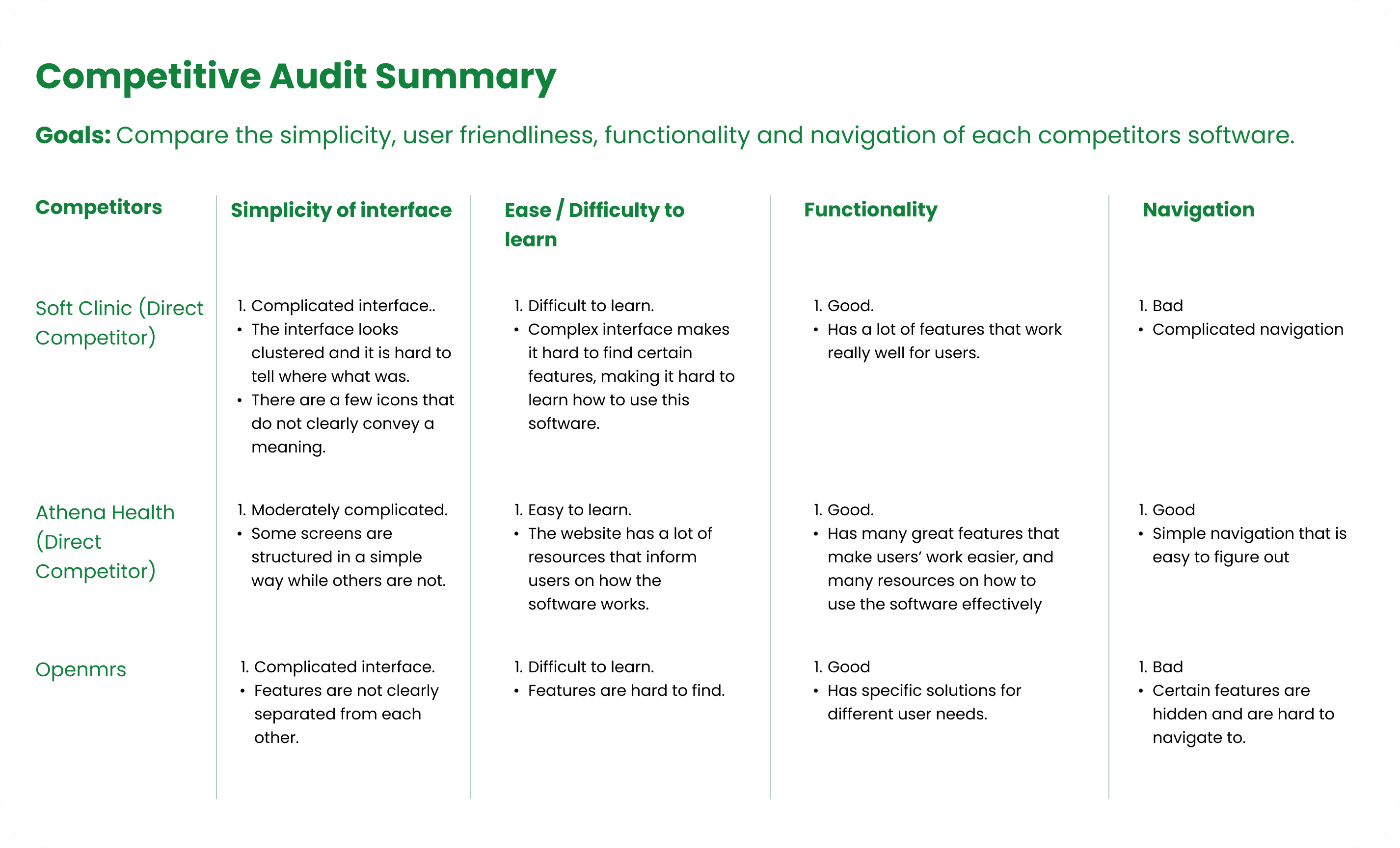
Competitive Audit I conducted a competitive audit to assess other software that provide hospital management functionality, to get a good understanding of the hospital management software market. This gave me a good understanding of the pain points users face when using most software in the market and the features of other software that users like. Thus, giving me a good idea of the features and characteristics I should include in my design to address user pain points, and design an interface users would like to use. Below is a summarized version of a competitive audit I conducted which highlights key areas.
Competitive Audit I conducted a competitive audit to assess other software that provide hospital management functionality, to get a good understanding of the hospital management software market. This gave me a good understanding of the pain points users face when using most software in the market and the features of other software that users like. Thus, giving me a good idea of the features and characteristics I should include in my design to address user pain points, and design an interface users would like to use. Below is a summarized version of a competitive audit I conducted which highlights key areas.
Competitive Audit I conducted a competitive audit to assess other software that provide hospital management functionality, to get a good understanding of the hospital management software market. This gave me a good understanding of the pain points users face when using most software in the market and the features of other software that users like. Thus, giving me a good idea of the features and characteristics I should include in my design to address user pain points, and design an interface users would like to use. Below is a summarized version of a competitive audit I conducted which highlights key areas.
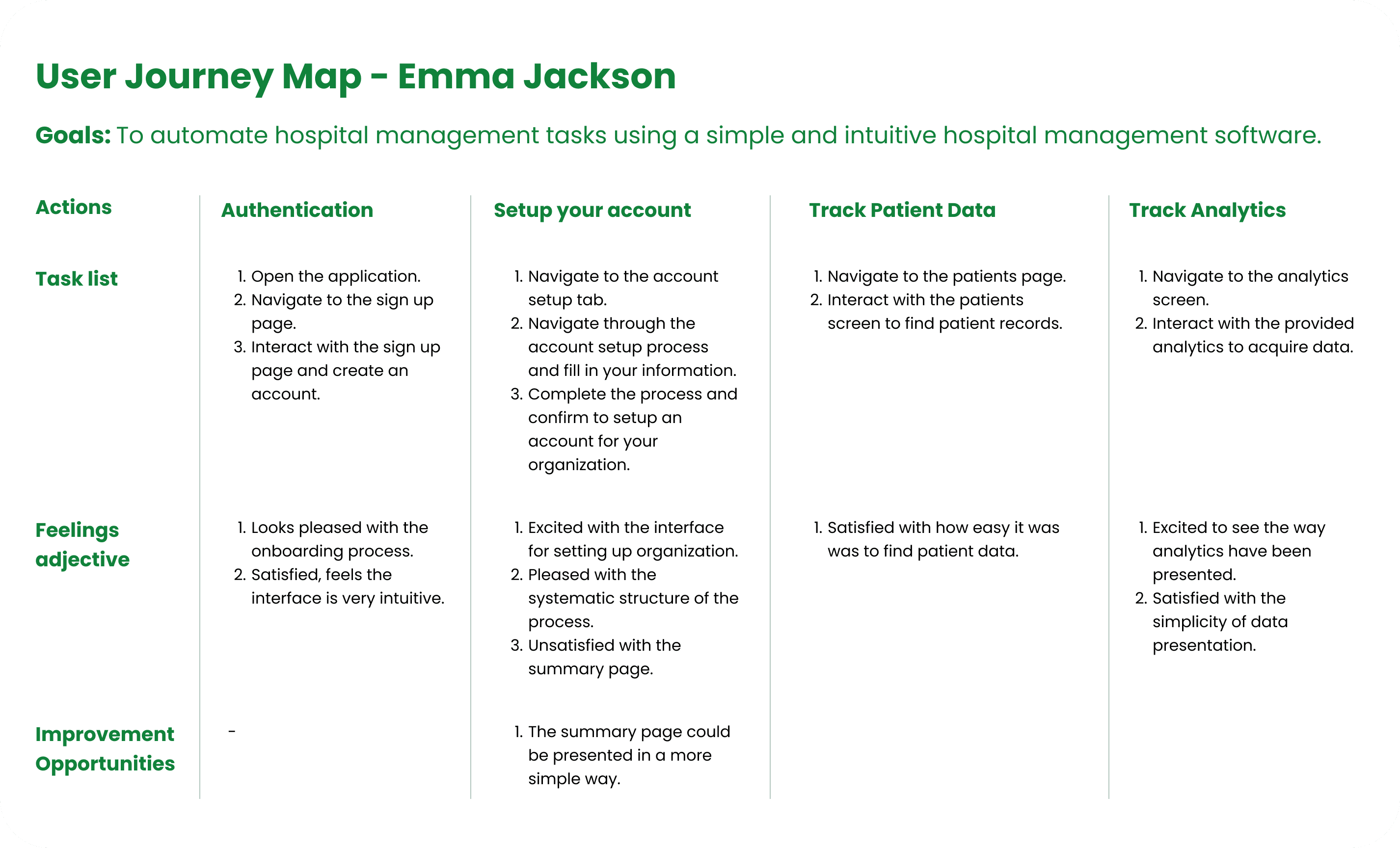
User Journey Map I used the future-state mapping approach to prepare a user journey map for a user (Emma Jackson), a hospital manager who wants to automate the tasks she performs in her job. Being able to get a reliable, user-friendly hospital management software would go a long way to make her work faster. The user journey map below depicts the effect the software I designed would have on users like Emma.
User Journey Map I used the future-state mapping approach to prepare a user journey map for a user (Emma Jackson), a hospital manager who wants to automate the tasks she performs in her job. Being able to get a reliable, user-friendly hospital management software would go a long way to make her work faster. The user journey map below depicts the effect the software I designed would have on users like Emma.
User Journey Map I used the future-state mapping approach to prepare a user journey map for a user (Emma Jackson), a hospital manager who wants to automate the tasks she performs in her job. Being able to get a reliable, user-friendly hospital management software would go a long way to make her work faster. The user journey map below depicts the effect the software I designed would have on users like Emma.
Designing the solution
Designing the solution
Designing the solution
Paper wireframes I used paper wireframing to create versions of each screen of the software, which allowed for careful consideration of each element before transferring them to digital wireframes. This approach helped establish the stucture and functionality of each feature to ensure that the software properly addressed user problems. A simple, user-friendly interface was the top priority.
Paper wireframes I used paper wireframing to create versions of each screen of the software, which allowed for careful consideration of each element before transferring them to digital wireframes. This approach helped establish the stucture and functionality of each feature to ensure that the software properly addressed user problems. A simple, user-friendly interface was the top priority.
Paper wireframes I used paper wireframing to create versions of each screen of the software, which allowed for careful consideration of each element before transferring them to digital wireframes. This approach helped establish the stucture and functionality of each feature to ensure that the software properly addressed user problems. A simple, user-friendly interface was the top priority.


Digital wireframes Below is a set of digital wireframes I designed. At this stage I began to build out the features of the application.
Digital wireframes Below is a set of digital wireframes I designed. At this stage I began to build out the features of the application.
Digital wireframes Below is a set of digital wireframes I designed. At this stage I began to build out the features of the application.
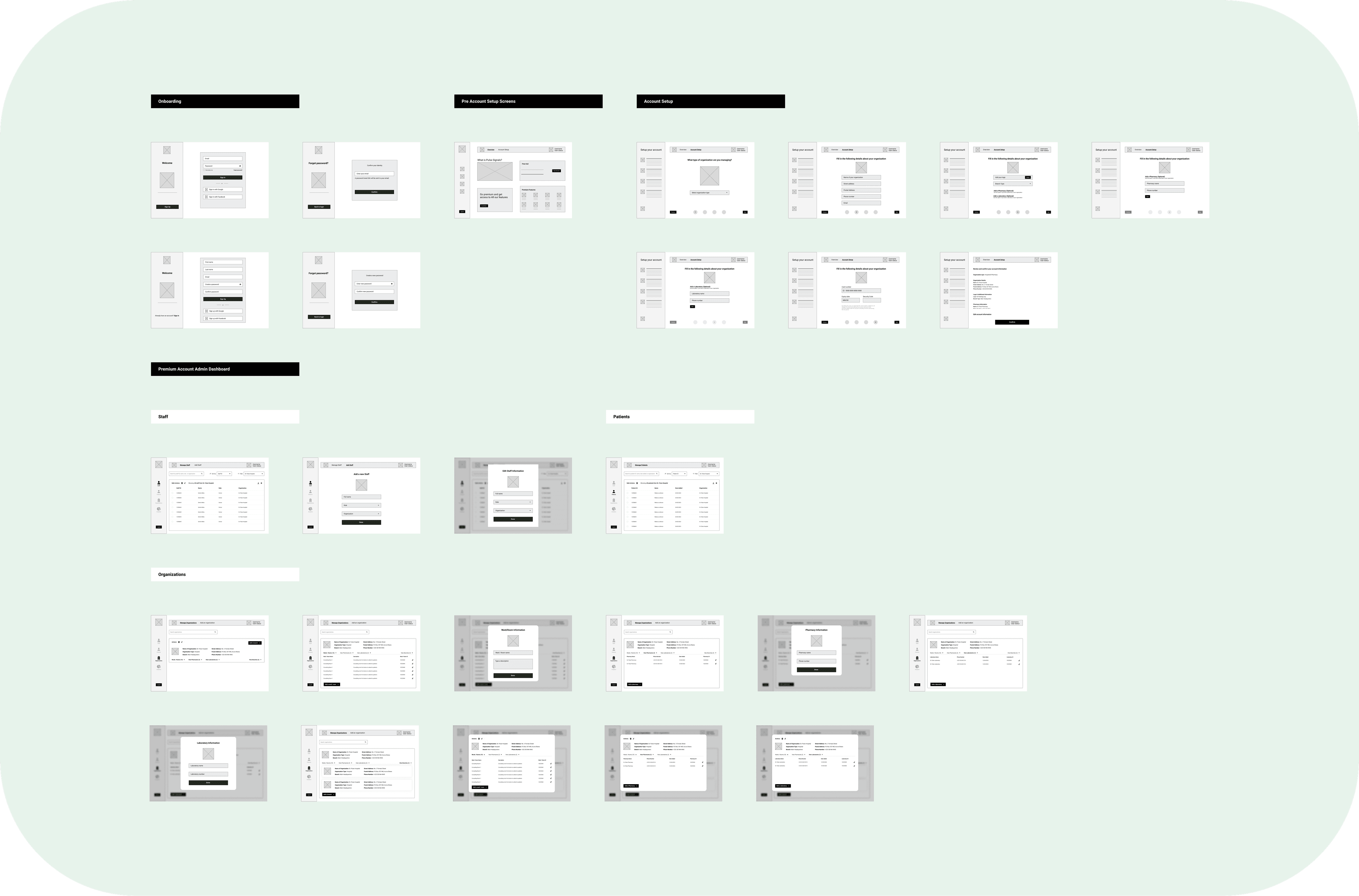
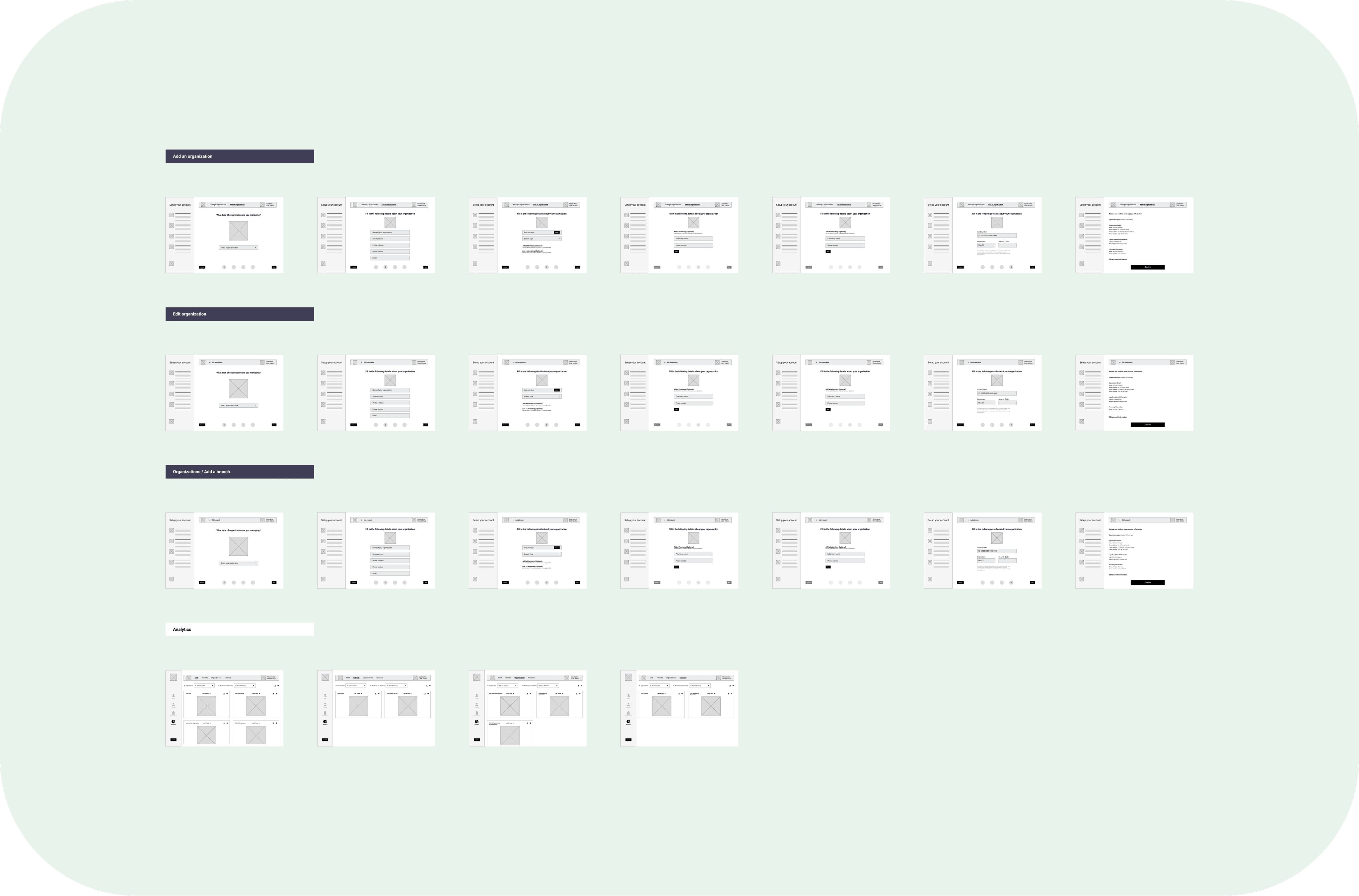
Low Fidelity Prototype I created a low fidelity protoype using the digital wireframes I designed. I used this prototype for early usability testing sessions to get insights that would inform design decisions.
Low Fidelity Prototype I created a low fidelity protoype using the digital wireframes I designed. I used this prototype for early usability testing sessions to get insights that would inform design decisions.
Low Fidelity Prototype I created a low fidelity protoype using the digital wireframes I designed. I used this prototype for early usability testing sessions to get insights that would inform design decisions.
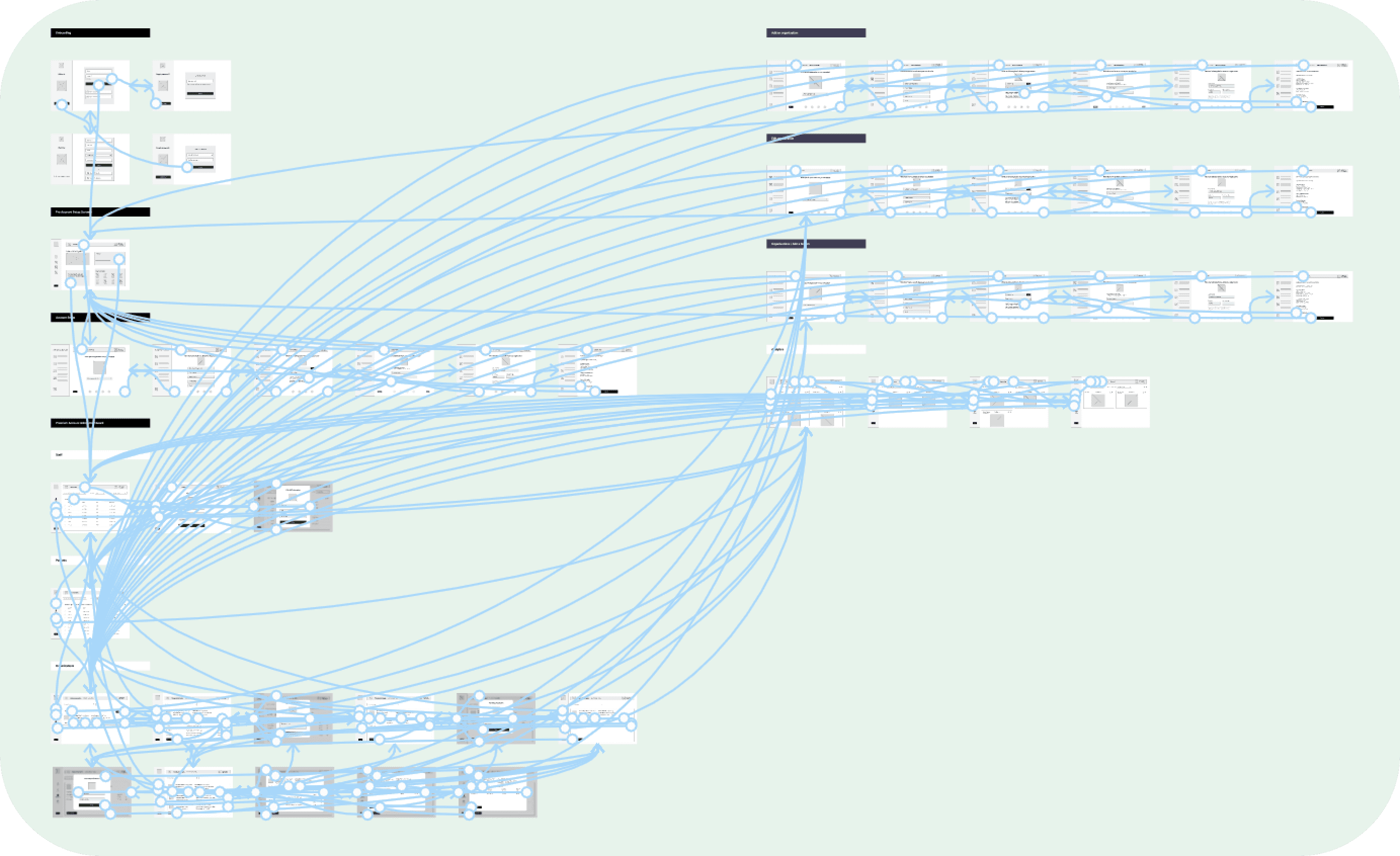
Usability Studies. Using the low fidelity protoype, I held usability study sessions with prospective users of the software. This was to ensure that my team and I stay in the right derection, and create a solution that successfully addressed the needs of our users. Below are a few findings from the usability studies I conducted. Findings 1. Users want to be able to find what they need easily. 2. Users don't want an interface that is complicated and would take too long to get familiar with. 3. Users want more customization options.
Usability Studies. Using the low fidelity protoype, I held usability study sessions with prospective users of the software. This was to ensure that my team and I stay in the right derection, and create a solution that successfully addressed the needs of our users. Below are a few findings from the usability studies I conducted. Findings 1. Users want to be able to find what they need easily. 2. Users don't want an interface that is complicated and would take too long to get familiar with. 3. Users want more customization options.
Usability Studies. Using the low fidelity protoype, I held usability study sessions with prospective users of the software. This was to ensure that my team and I stay in the right derection, and create a solution that successfully addressed the needs of our users. Below are a few findings from the usability studies I conducted. Findings 1. Users want to be able to find what they need easily. 2. Users don't want an interface that is complicated and would take too long to get familiar with. 3. Users want more customization options.
High Fidelity Designs
High Fidelity Designs
High Fidelity Designs
After gaining insights from the usability studies I conducted, I designed high fidelity mockups for the software. Below are some of the key high fidelity mockups.
After gaining insights from the usability studies I conducted, I designed high fidelity mockups for the software. Below are some of the key high fidelity mockups.
After gaining insights from the usability studies I conducted, I designed high fidelity mockups for the software. Below are some of the key high fidelity mockups.
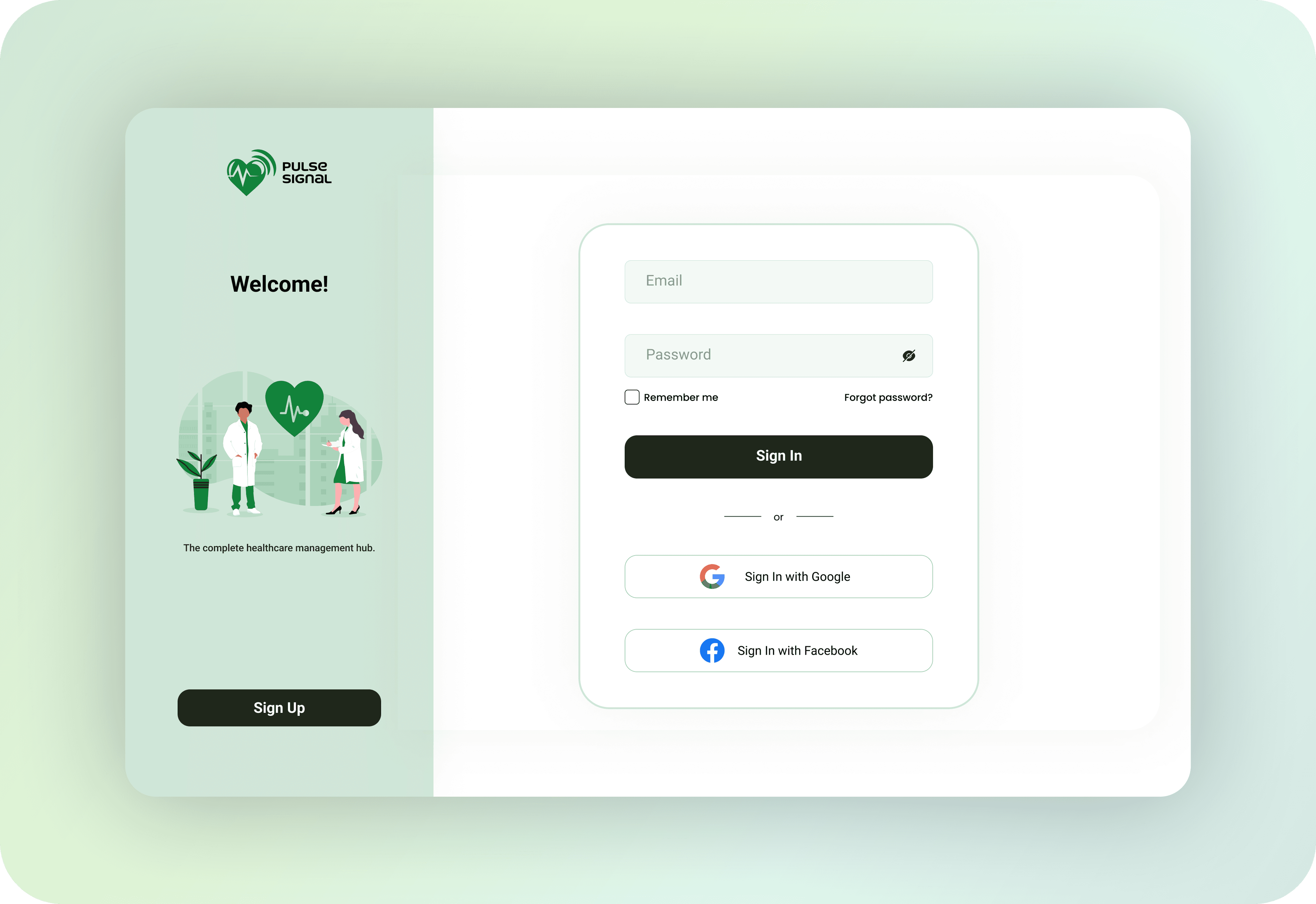
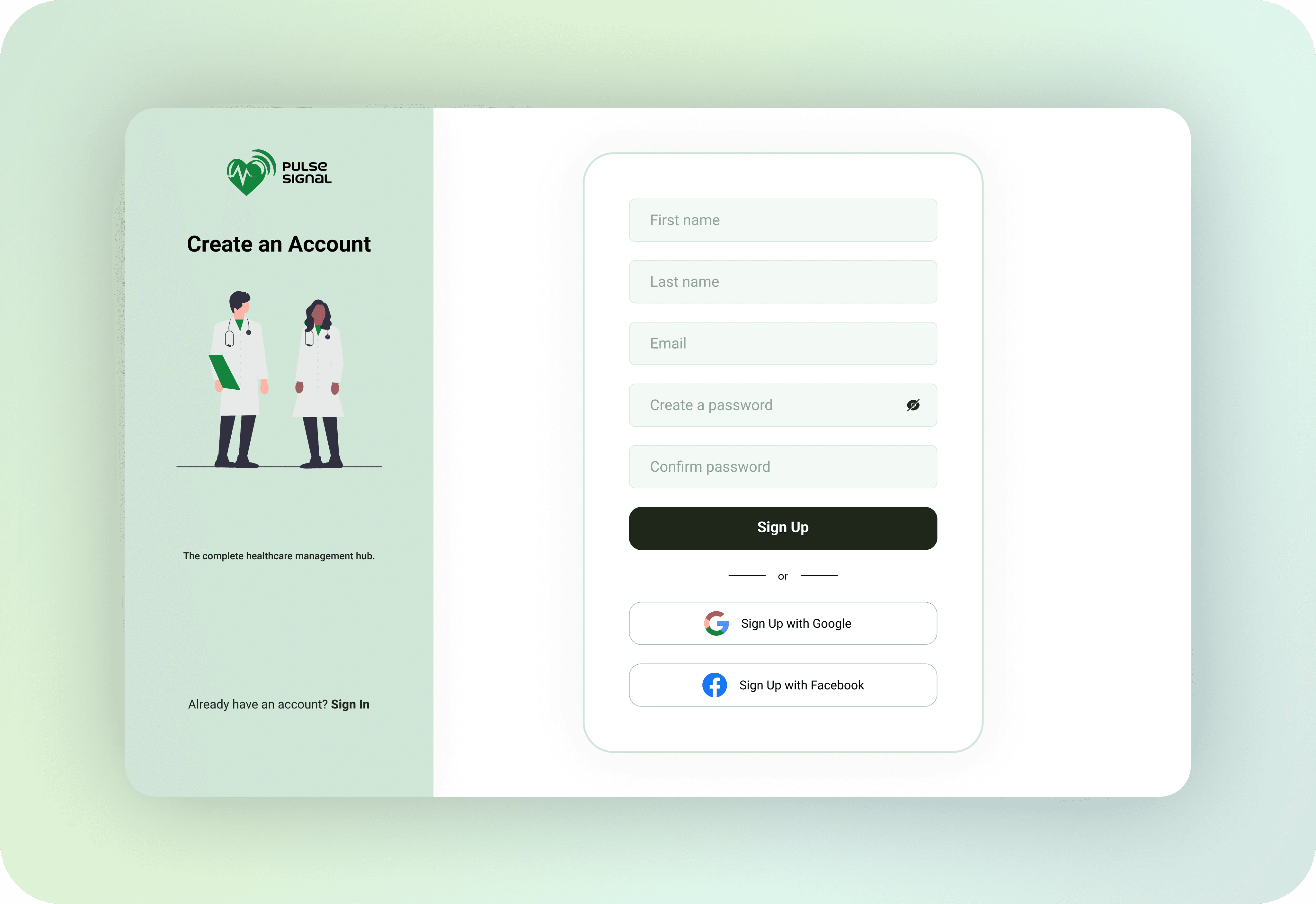
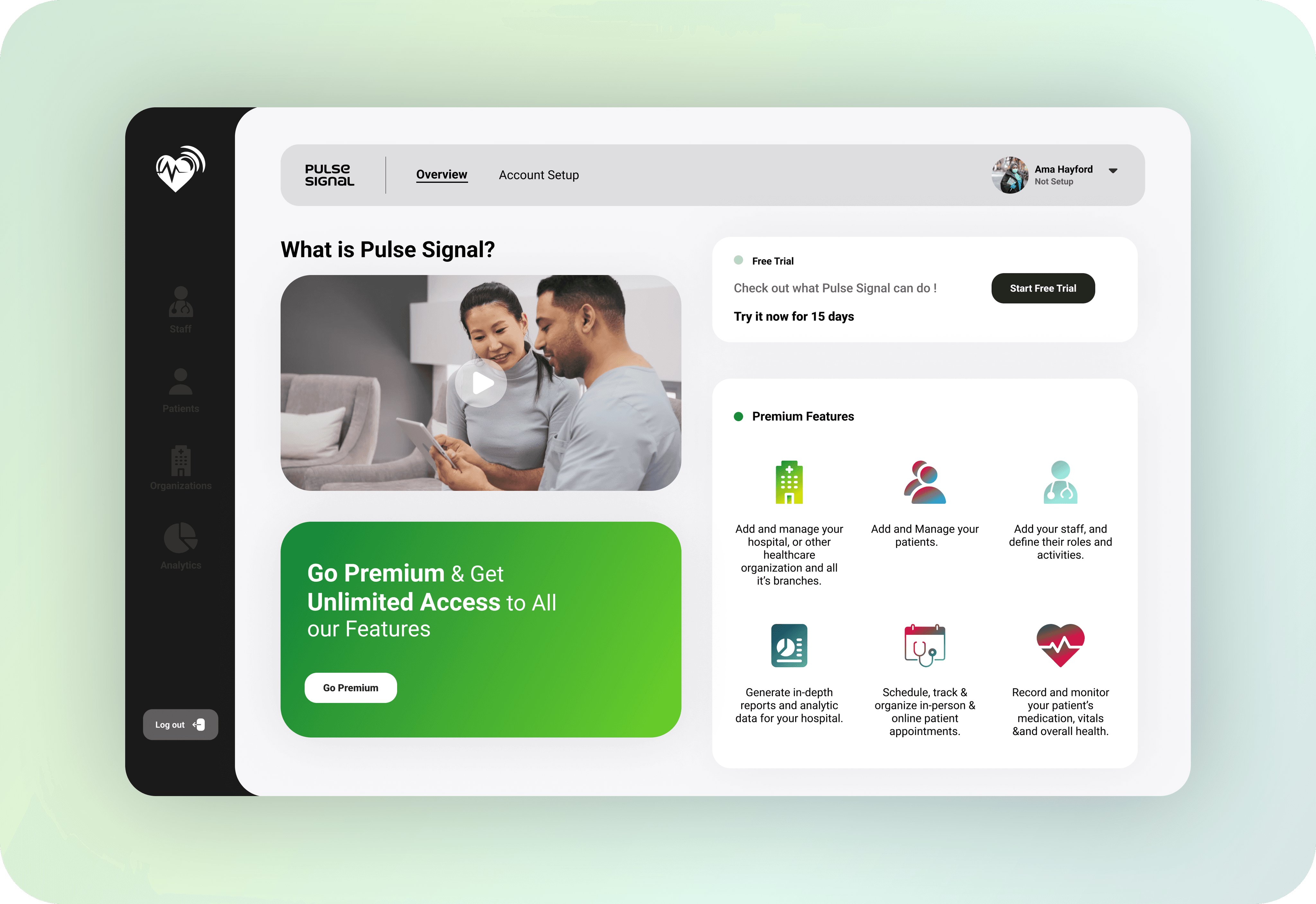
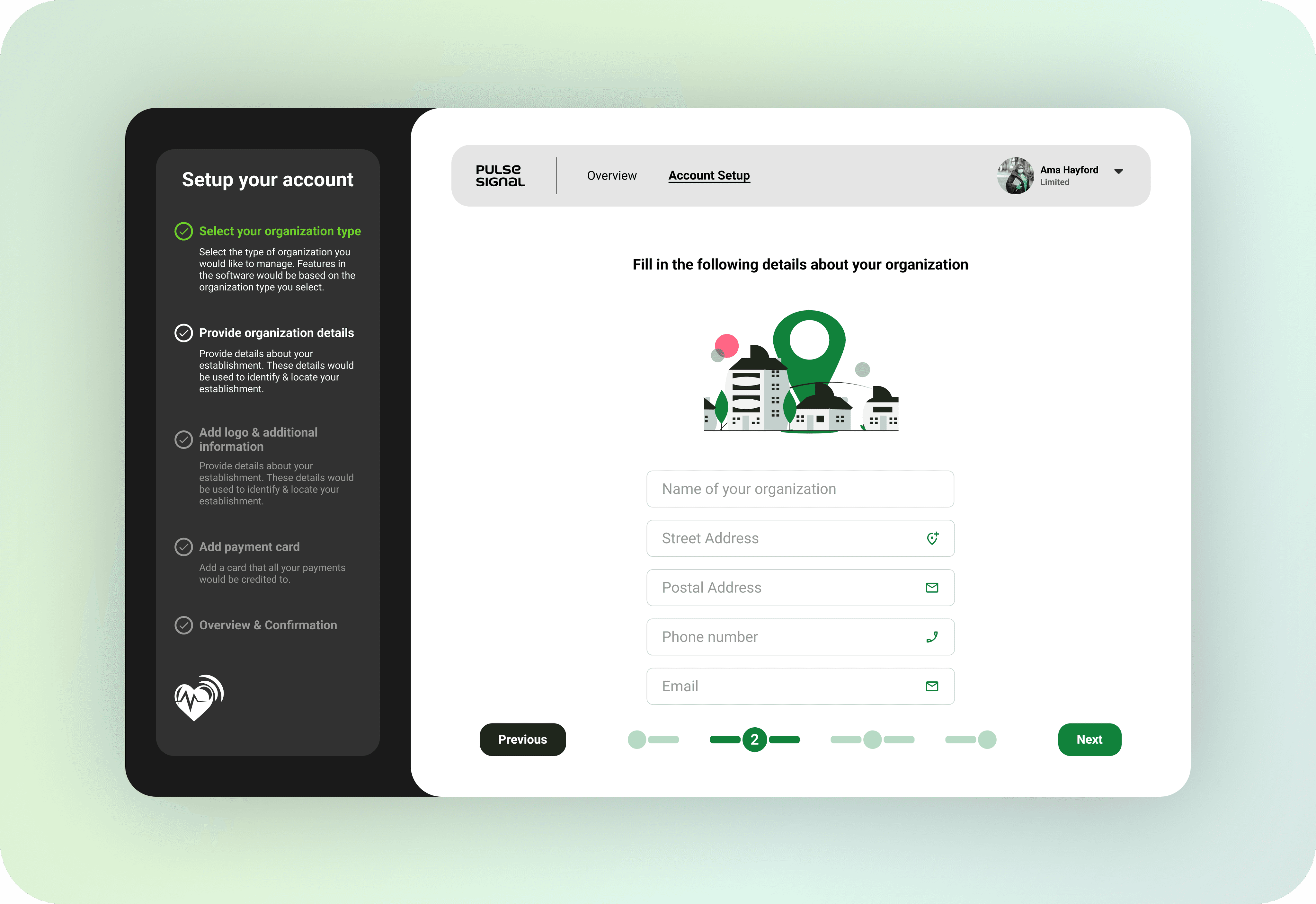
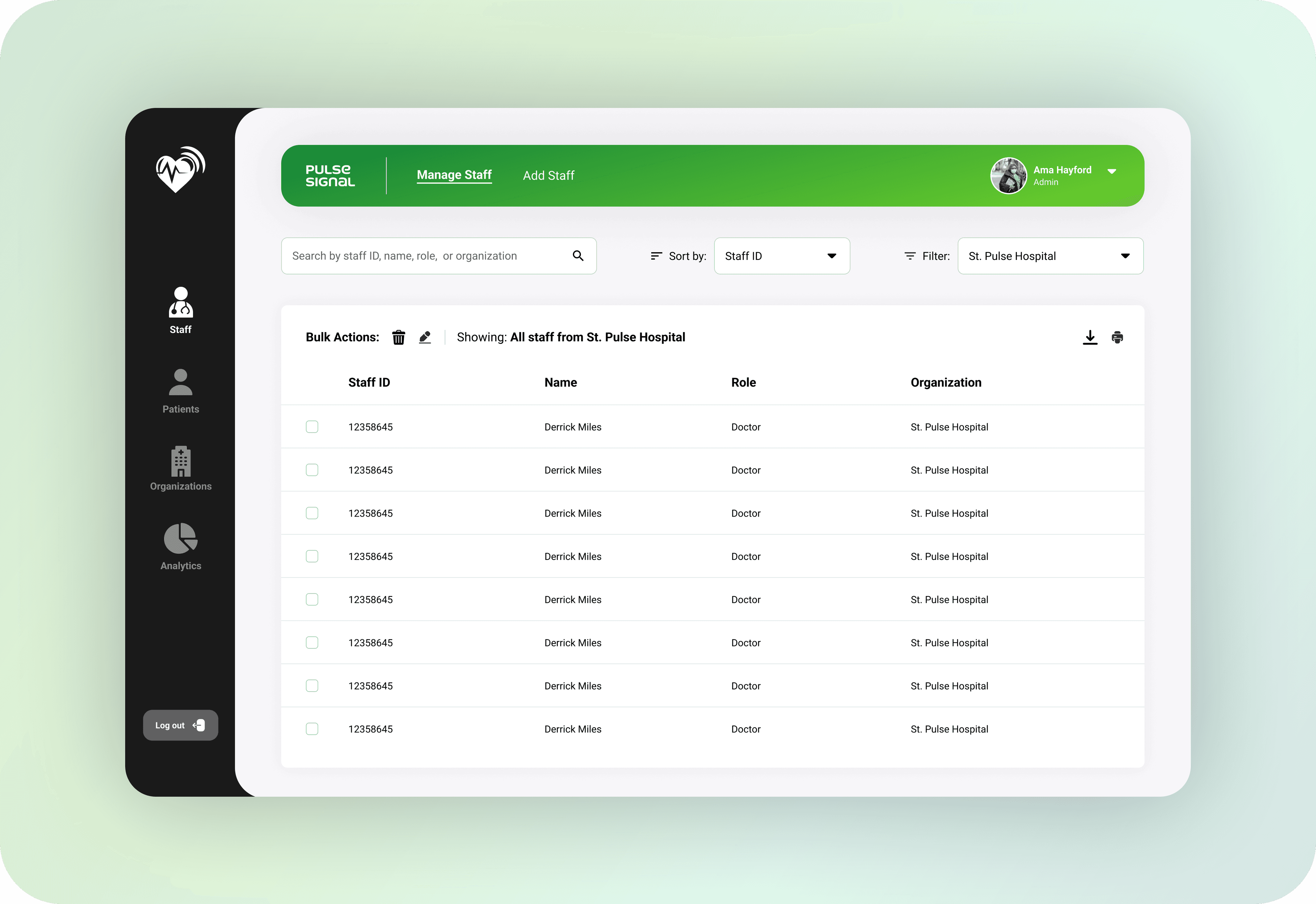
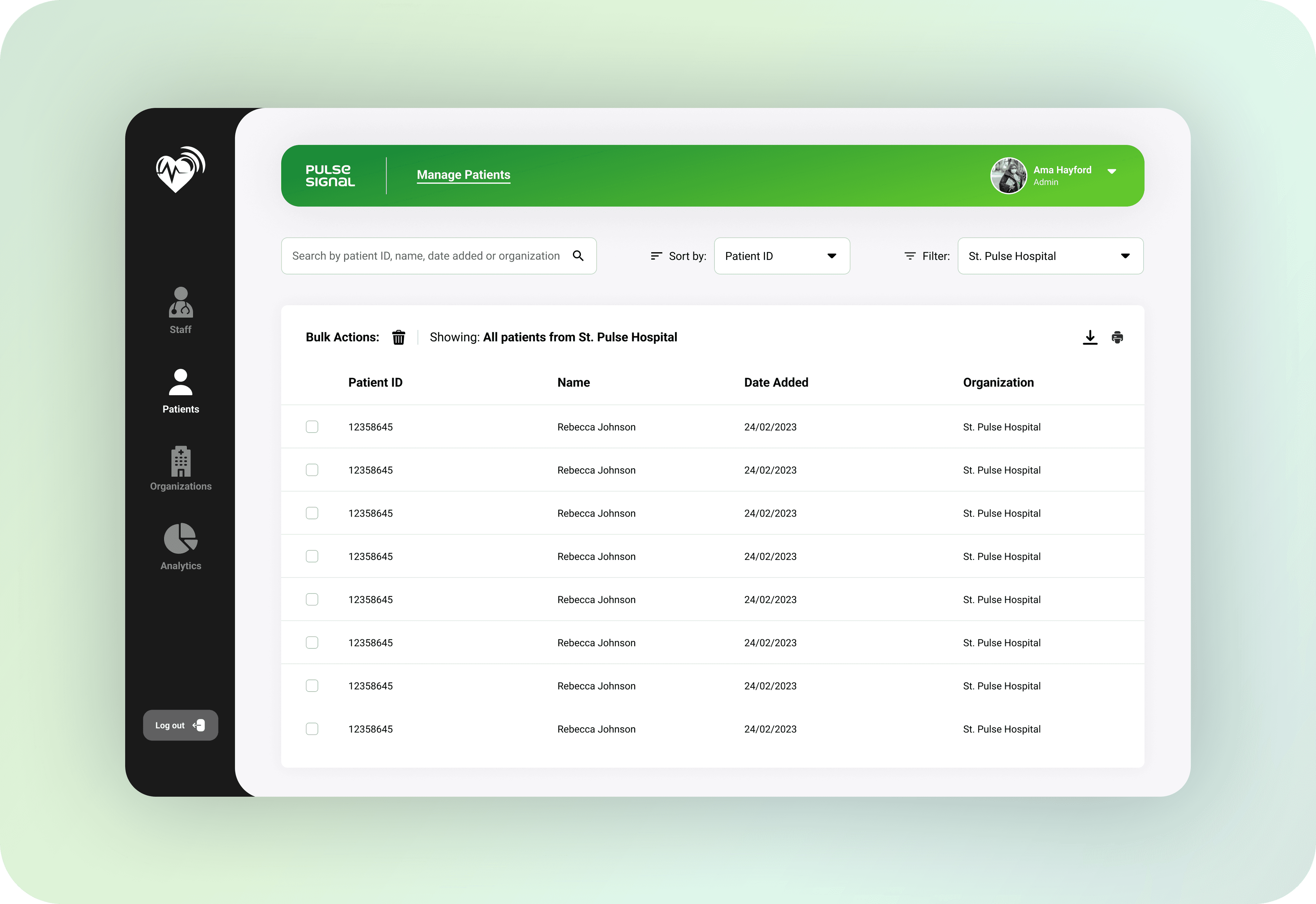
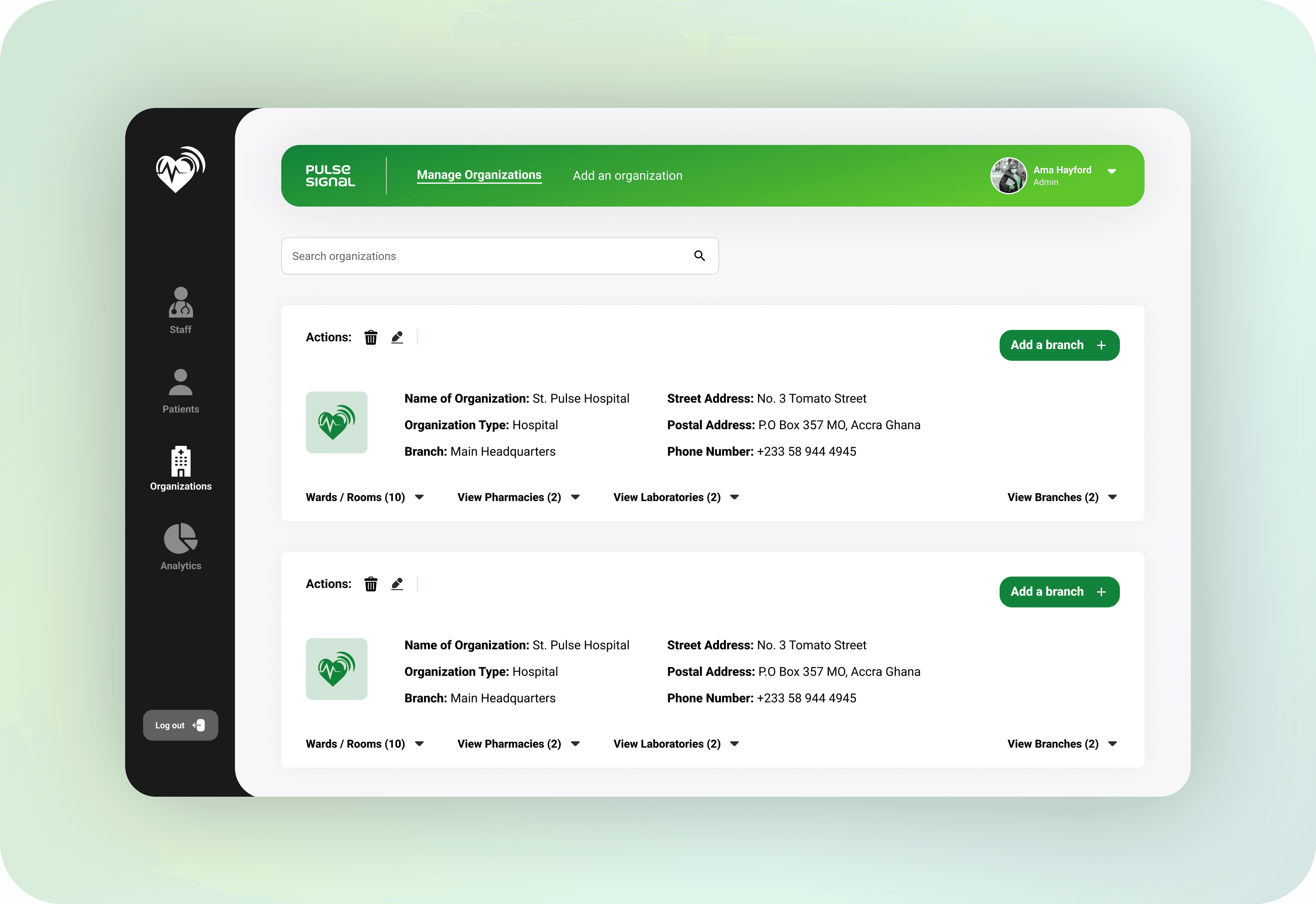

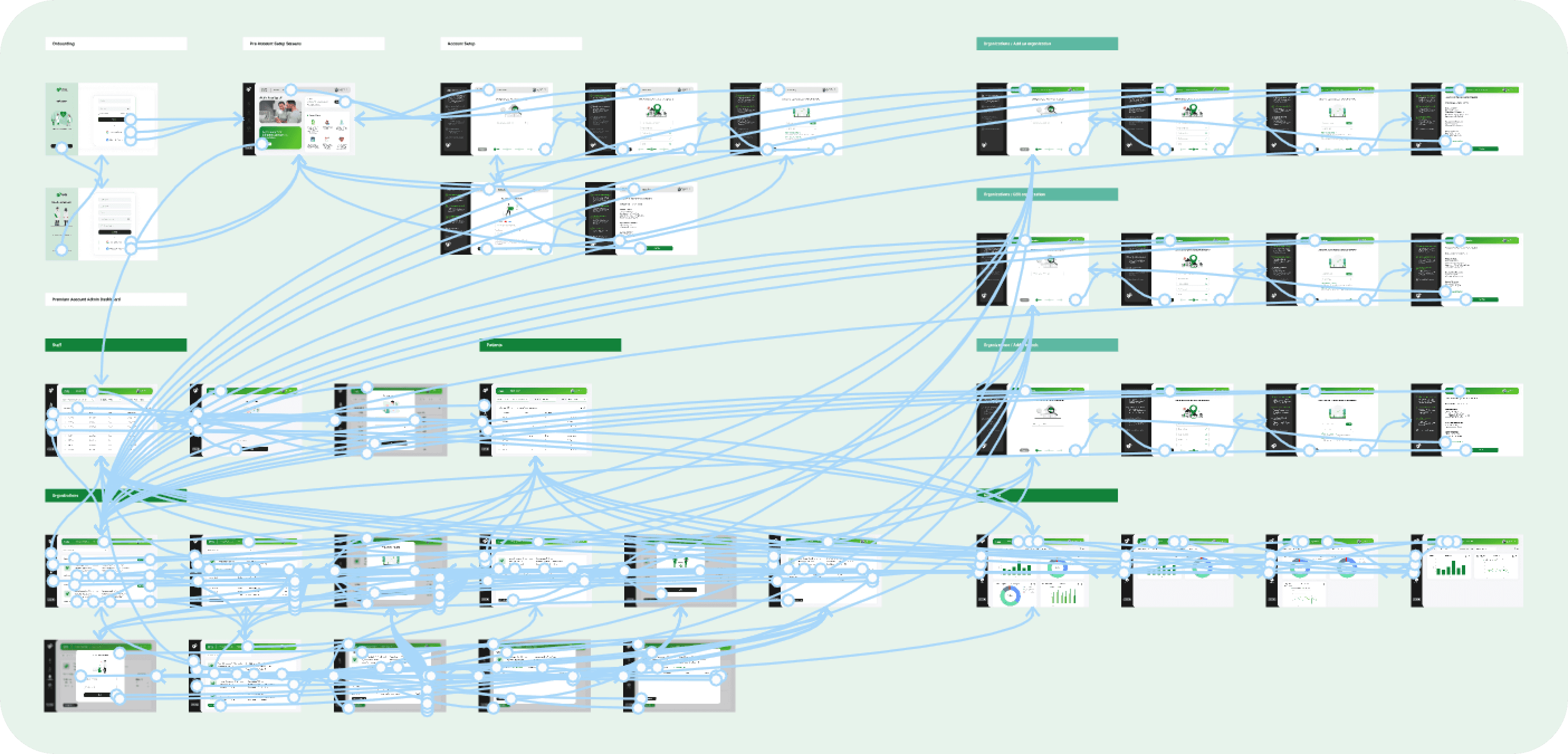
High Fidelity Prototype I prepared a high fidelity prototype for the software. This was used for more rounds of usability testing to ensure that users were satisfied with the user flow of the software, and could find what they wanted easily. At this stage, the final details about the features required to meet all user needs were established.
High Fidelity Prototype I prepared a high fidelity prototype for the software. This was used for more rounds of usability testing to ensure that users were satisfied with the user flow of the software, and could find what they wanted easily. At this stage, the final details about the features required to meet all user needs were established.
High Fidelity Prototype I prepared a high fidelity prototype for the software. This was used for more rounds of usability testing to ensure that users were satisfied with the user flow of the software, and could find what they wanted easily. At this stage, the final details about the features required to meet all user needs were established.
Accessibility considerations 1. Make images accessible for screen readers by adding alternative text, thus users with visual impairments can have access to the content. 2. Make charts simple for easy reading and understanding. 3. Used descriptive text to make it easy for users to understand the features in the software and what they do.
Going Forward
Going Forward
Going Forward
Takeaways Impact The software makes it easy for hospital managers and administrators to manage their hospitals, by automating tasks that would take a much longer time, and a lot of effort to complete manually. What I learnt While doing research for this dashboard. I learnt that users prefer interfaces that are simple over coplicated ones. This performing complex tasks very simple.
Next Steps 1. Design a resposive tablet and mobile view of the dashboard. 2. Conduct more research to identify any new areas of need.
Want to work
Want to work
Thanks for checking out my case study.
Thanks for checking out my case study.
Thanks for checking out my case study.
I specialize in creating exceptional digital products that lead to great experiences for users and help my clients and organizations achieve their business goals.
Thank you for viewing Daniel Selorm Ocloo's Portfolio
I specialize in creating exceptional digital products that lead to great experiences for users and help my clients and organizations achieve their business goals.
Thank you for viewing Daniel Selorm Ocloo's Portfolio
I specialize in creating exceptional digital products that lead to great experiences for users and help my clients and organizations achieve their business goals.
Thank you for viewing Daniel Selorm Ocloo's Portfolio