Process Approval and Tracking Software for Companies
A software that helps any type of company speed up its approval processes.
A software that helps any type of company speed up its approval processes.
A software that helps any type of company speed up its approval processes.
Client
-
Role
UI & UX Design UX Research
Industries
All Industries
Date
January 2023
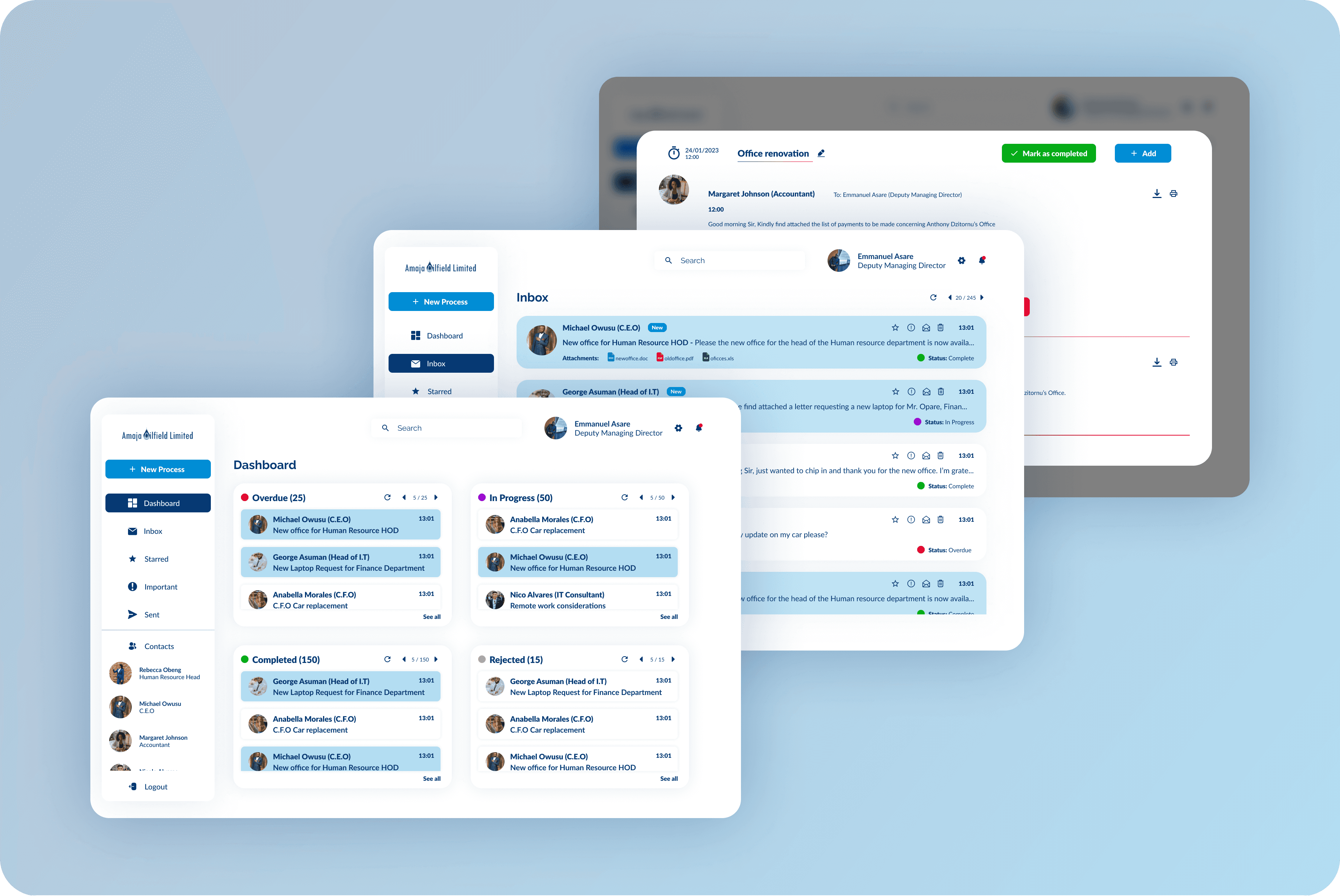
In the corporate world, employees and internal/external stakeholders send messages to each other concerning the different processes within their organizations through emails, texts, etc, as they need to collaborate to get work done, and meet their short and long term targets. I designed a web application that members of an organization can use to draft and send documents and attachments to each other, easily review and give approval to processes within their organizations that need their approval, seamlessly follow or track each process they carry out in their organization from initiation to completion, and set reminders and timers for specific processes.
In the corporate world, employees and internal/external stakeholders send messages to each other concerning the different processes within their organizations through emails, texts, etc, as they need to collaborate to get work done, and meet their short and long term targets. I designed a web application that members of an organization can use to draft and send documents and attachments to each other, easily review and give approval to processes within their organizations that need their approval, seamlessly follow or track each process they carry out in their organization from initiation to completion, and set reminders and timers for specific processes.
In the corporate world, employees and internal/external stakeholders send messages to each other concerning the different processes within their organizations through emails, texts, etc, as they need to collaborate to get work done, and meet their short and long term targets. I designed a web application that members of an organization can use to draft and send documents and attachments to each other, easily review and give approval to processes within their organizations that need their approval, seamlessly follow or track each process they carry out in their organization from initiation to completion, and set reminders and timers for specific processes.
Problem Statement Staff at companies and corporations carry out their day to day activities and processes by communicating through emails, texts, letters, and other electronic and non-electronic means in order to get their work done. Most processes need approval from medium and top level managers before they can be carried out. Many corporate workers get overwhelmed by the many emails and letters about different processes and requests concerning important activities or tasks they need to complete. Medium and top level managers may also get lost in the pile of documents that need their perusal and approval. This may lead to certain important emails or messages being overlooked, skipped or forgotten, possibly leading to serious repercussions such as delays in important processes, certain process stalling completely, low productivity and loss of resources.
Problem Statement Staff at companies and corporations carry out their day to day activities and processes by communicating through emails, texts, letters, and other electronic and non-electronic means in order to get their work done. Most processes need approval from medium and top level managers before they can be carried out. Many corporate workers get overwhelmed by the many emails and letters about different processes and requests concerning important activities or tasks they need to complete. Medium and top level managers may also get lost in the pile of documents that need their perusal and approval. This may lead to certain important emails or messages being overlooked, skipped or forgotten, possibly leading to serious repercussions such as delays in important processes, certain process stalling completely, low productivity and loss of resources.
Problem Statement Staff at companies and corporations carry out their day to day activities and processes by communicating through emails, texts, letters, and other electronic and non-electronic means in order to get their work done. Most processes need approval from medium and top level managers before they can be carried out. Many corporate workers get overwhelmed by the many emails and letters about different processes and requests concerning important activities or tasks they need to complete. Medium and top level managers may also get lost in the pile of documents that need their perusal and approval. This may lead to certain important emails or messages being overlooked, skipped or forgotten, possibly leading to serious repercussions such as delays in important processes, certain process stalling completely, low productivity and loss of resources.
Project Goals Design a web application that; 1. Enables staff of companies and corporations to draft, send and receive documents, messages and attachments. 2. Categorize all related messages, documents and attachments under processes. 3. Enables staff to track each process, and all documents in it. 4. Enables managers to approve or reject documents within the application. 5. Allows staff to set a timer for time sensitive processes so that they could get reminders.
Project Goals Design a web application that; 1. Enables staff of companies and corporations to draft, send and receive documents, messages and attachments. 2. Categorize all related messages, documents and attachments under processes. 3. Enables staff to track each process, and all documents in it. 4. Enables managers to approve or reject documents within the application. 5. Allows staff to set a timer for time sensitive processes so that they could get reminders.
Project Goals Design a web application that; 1. Enables staff of companies and corporations to draft, send and receive documents, messages and attachments. 2. Categorize all related messages, documents and attachments under processes. 3. Enables staff to track each process, and all documents in it. 4. Enables managers to approve or reject documents within the application. 5. Allows staff to set a timer for time sensitive processes so that they could get reminders.
The research
The research
The research
Research Summary I conducted interviews and created empathy maps to understand the users I’m designing for and their needs. A primary user group identified through research was staff of large companies, and medium and high level managers such companies This user group confirmed that even though they mostly communicate through email, and other electronic means while at work, they were unable to track time sensitive processes unless they used their phones to set reminders, or used third party applications for that. They we also unable to make approvals electronically, and documents that needed approval had to be printed and signed with a pen, or transferred to text editing software or tablets for them to use their digital signatures which caused inefficiency, and drastically slowed down their work.
Research Summary I conducted interviews and created empathy maps to understand the users I’m designing for and their needs. A primary user group identified through research was staff of large companies, and medium and high level managers such companies This user group confirmed that even though they mostly communicate through email, and other electronic means while at work, they were unable to track time sensitive processes unless they used their phones to set reminders, or used third party applications for that. They we also unable to make approvals electronically, and documents that needed approval had to be printed and signed with a pen, or transferred to text editing software or tablets for them to use their digital signatures which caused inefficiency, and drastically slowed down their work.
Research Summary I conducted interviews and created empathy maps to understand the users I’m designing for and their needs. A primary user group identified through research was staff of large companies, and medium and high level managers such companies This user group confirmed that even though they mostly communicate through email, and other electronic means while at work, they were unable to track time sensitive processes unless they used their phones to set reminders, or used third party applications for that. They we also unable to make approvals electronically, and documents that needed approval had to be printed and signed with a pen, or transferred to text editing software or tablets for them to use their digital signatures which caused inefficiency, and drastically slowed down their work.
Pain Points 1. Lack of centralized system: Many companies struggle with managing and tracking the approval process for various workflows and tasks across different departments. 2. Manual and paper-based processes: Traditional manual and paper-based approval processes can be time-consuming, error-prone, and inefficient. 3. Complexity in approval workflows: Approval workflows can vary in complexity, involving multiple stages, parallel approvals, and conditional routing based on specific criteria. 4. Inefficient communication and collaboration: Communication gaps and delays between approvers, requesters, and relevant stakeholders can hinder the approval process.
Pain Points 1. Lack of centralized system: Many companies struggle with managing and tracking the approval process for various workflows and tasks across different departments. 2. Manual and paper-based processes: Traditional manual and paper-based approval processes can be time-consuming, error-prone, and inefficient. 3. Complexity in approval workflows: Approval workflows can vary in complexity, involving multiple stages, parallel approvals, and conditional routing based on specific criteria. 4. Inefficient communication and collaboration: Communication gaps and delays between approvers, requesters, and relevant stakeholders can hinder the approval process.
Pain Points 1. Lack of centralized system: Many companies struggle with managing and tracking the approval process for various workflows and tasks across different departments. 2. Manual and paper-based processes: Traditional manual and paper-based approval processes can be time-consuming, error-prone, and inefficient. 3. Complexity in approval workflows: Approval workflows can vary in complexity, involving multiple stages, parallel approvals, and conditional routing based on specific criteria. 4. Inefficient communication and collaboration: Communication gaps and delays between approvers, requesters, and relevant stakeholders can hinder the approval process.
Meet the users
Meet the users
Meet the users
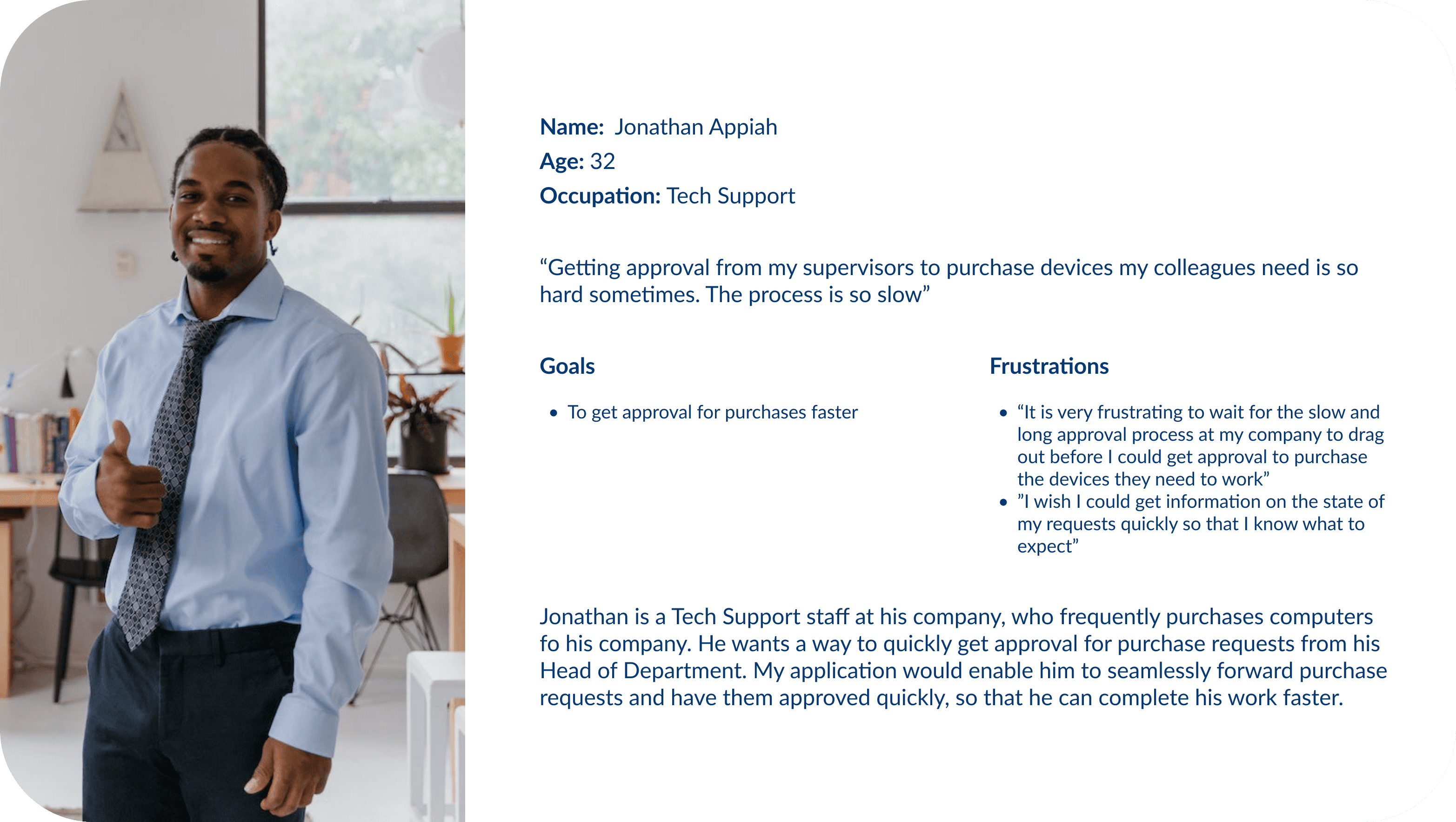
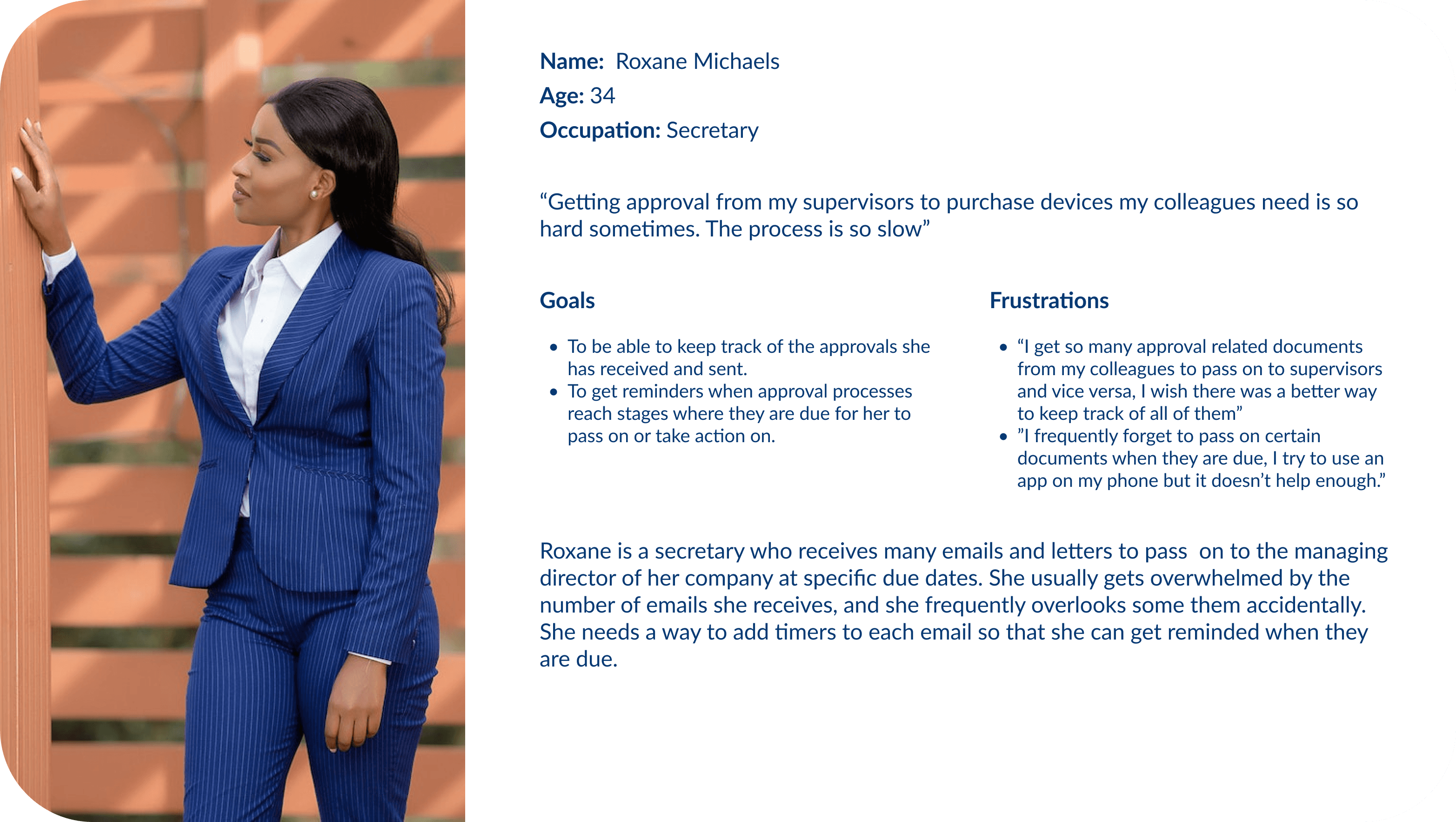
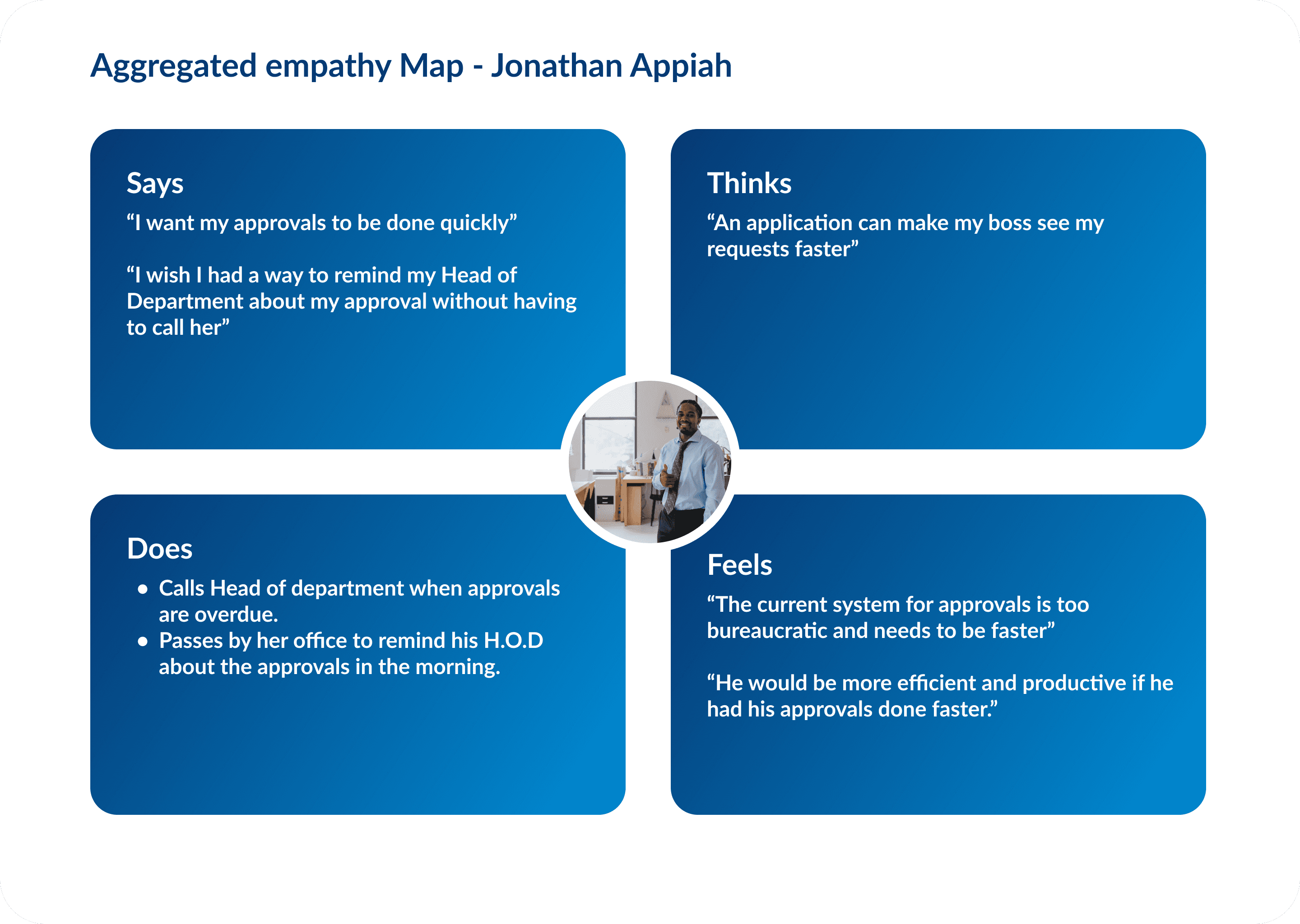
Empathy Map To enhance comprehension of users, I constructed an empathy map that delves into their emotions, attitudes, behaviors, and motivations. The primary focus of an empathy map lies in capturing the user's verbalized thoughts, actions, internal contemplations, and emotional states. By analyzing these aspects of users' feelings and behaviors, we can establish a stronger connection with them and attain a deeper understanding. In this case study, I would present an aggregated empathy map that consolidates comparable user expressions observed during my research.
Empathy Map To enhance comprehension of users, I constructed an empathy map that delves into their emotions, attitudes, behaviors, and motivations. The primary focus of an empathy map lies in capturing the user's verbalized thoughts, actions, internal contemplations, and emotional states. By analyzing these aspects of users' feelings and behaviors, we can establish a stronger connection with them and attain a deeper understanding. In this case study, I would present an aggregated empathy map that consolidates comparable user expressions observed during my research.
Empathy Map To enhance comprehension of users, I constructed an empathy map that delves into their emotions, attitudes, behaviors, and motivations. The primary focus of an empathy map lies in capturing the user's verbalized thoughts, actions, internal contemplations, and emotional states. By analyzing these aspects of users' feelings and behaviors, we can establish a stronger connection with them and attain a deeper understanding. In this case study, I would present an aggregated empathy map that consolidates comparable user expressions observed during my research.
Starting the Journey
Starting the Journey
Starting the Journey
User Flow This user flow provides a step-by-step journey through the software's key features, ensuring a seamless experience for users. From submitting requests to tracking approvals and collaborating with stakeholders, this user flow empowers users to manage and monitor the entire process effortlessly. By following this user flow, users can experience the full potential of our software in simplifying and optimizing their approval processes.
User Flow This user flow provides a step-by-step journey through the software's key features, ensuring a seamless experience for users. From submitting requests to tracking approvals and collaborating with stakeholders, this user flow empowers users to manage and monitor the entire process effortlessly. By following this user flow, users can experience the full potential of our software in simplifying and optimizing their approval processes.
User Flow This user flow provides a step-by-step journey through the software's key features, ensuring a seamless experience for users. From submitting requests to tracking approvals and collaborating with stakeholders, this user flow empowers users to manage and monitor the entire process effortlessly. By following this user flow, users can experience the full potential of our software in simplifying and optimizing their approval processes.

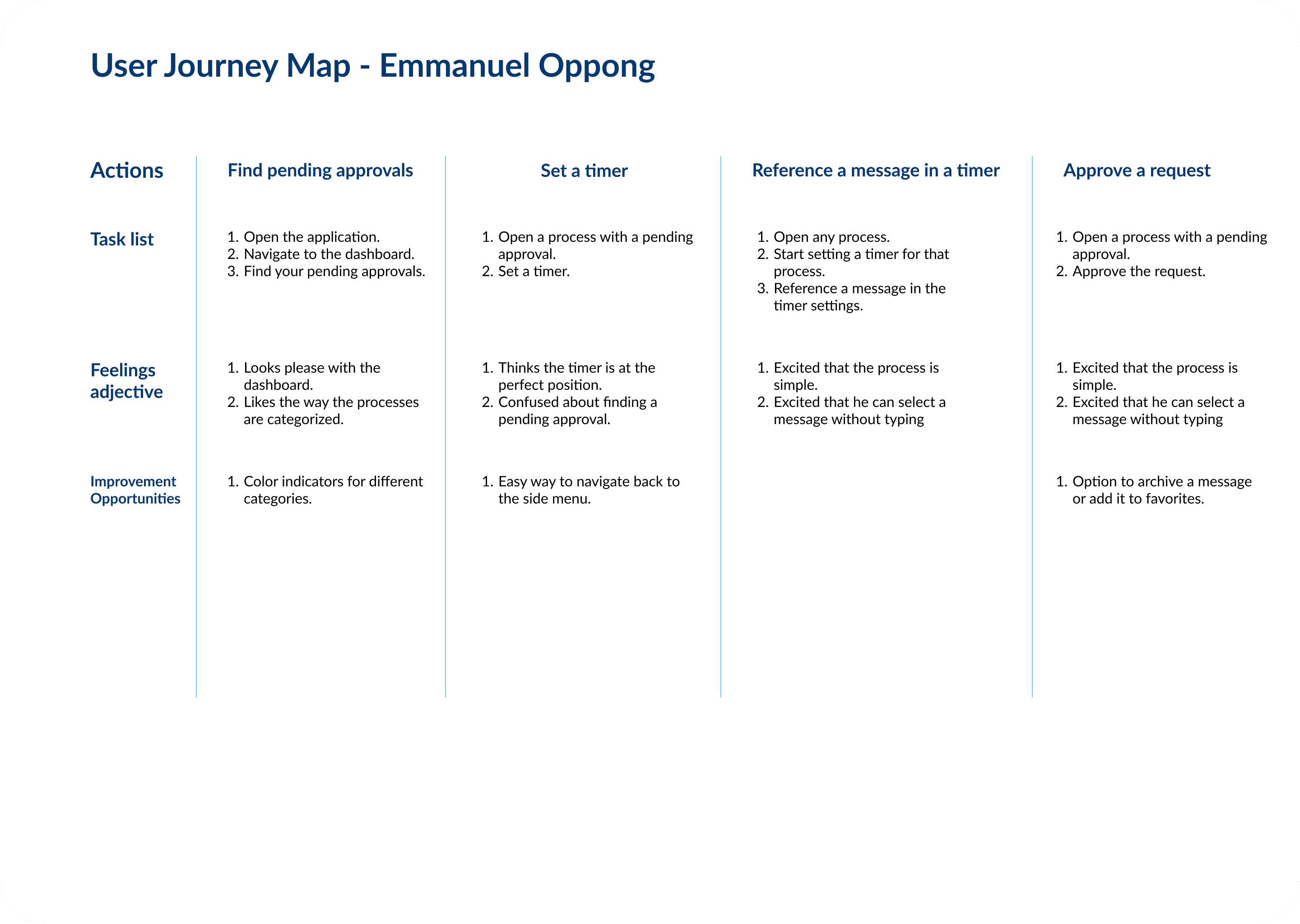
User Journey Map I prepared a User Journey Map for the software. The user journey map highlighted the various touchpoints and stages that user goes through, starting from their initial engagement with the software to achieving their desired outcomes. It served as a valuable tool for understanding the user's holistic experience and guided my efforts to provide a seamless and satisfying journey within the software.
User Journey Map I prepared a User Journey Map for the software. The user journey map highlighted the various touchpoints and stages that user goes through, starting from their initial engagement with the software to achieving their desired outcomes. It served as a valuable tool for understanding the user's holistic experience and guided my efforts to provide a seamless and satisfying journey within the software.
User Journey Map I prepared a User Journey Map for the software. The user journey map highlighted the various touchpoints and stages that user goes through, starting from their initial engagement with the software to achieving their desired outcomes. It served as a valuable tool for understanding the user's holistic experience and guided my efforts to provide a seamless and satisfying journey within the software.
Designing the solution
Designing the solution
Designing the solution
Paper wireframes I made low-fidelity sketches, that captured the essential components, features, and user interface elements of the software, providing a visual representation of its structure and functionality. These sketches allowed me to explore different layout possibilities, assess the clarity of information architecture, and ensure that the software meets the needs of users.
Paper wireframes I made low-fidelity sketches, that captured the essential components, features, and user interface elements of the software, providing a visual representation of its structure and functionality. These sketches allowed me to explore different layout possibilities, assess the clarity of information architecture, and ensure that the software meets the needs of users.
Paper wireframes I made low-fidelity sketches, that captured the essential components, features, and user interface elements of the software, providing a visual representation of its structure and functionality. These sketches allowed me to explore different layout possibilities, assess the clarity of information architecture, and ensure that the software meets the needs of users.

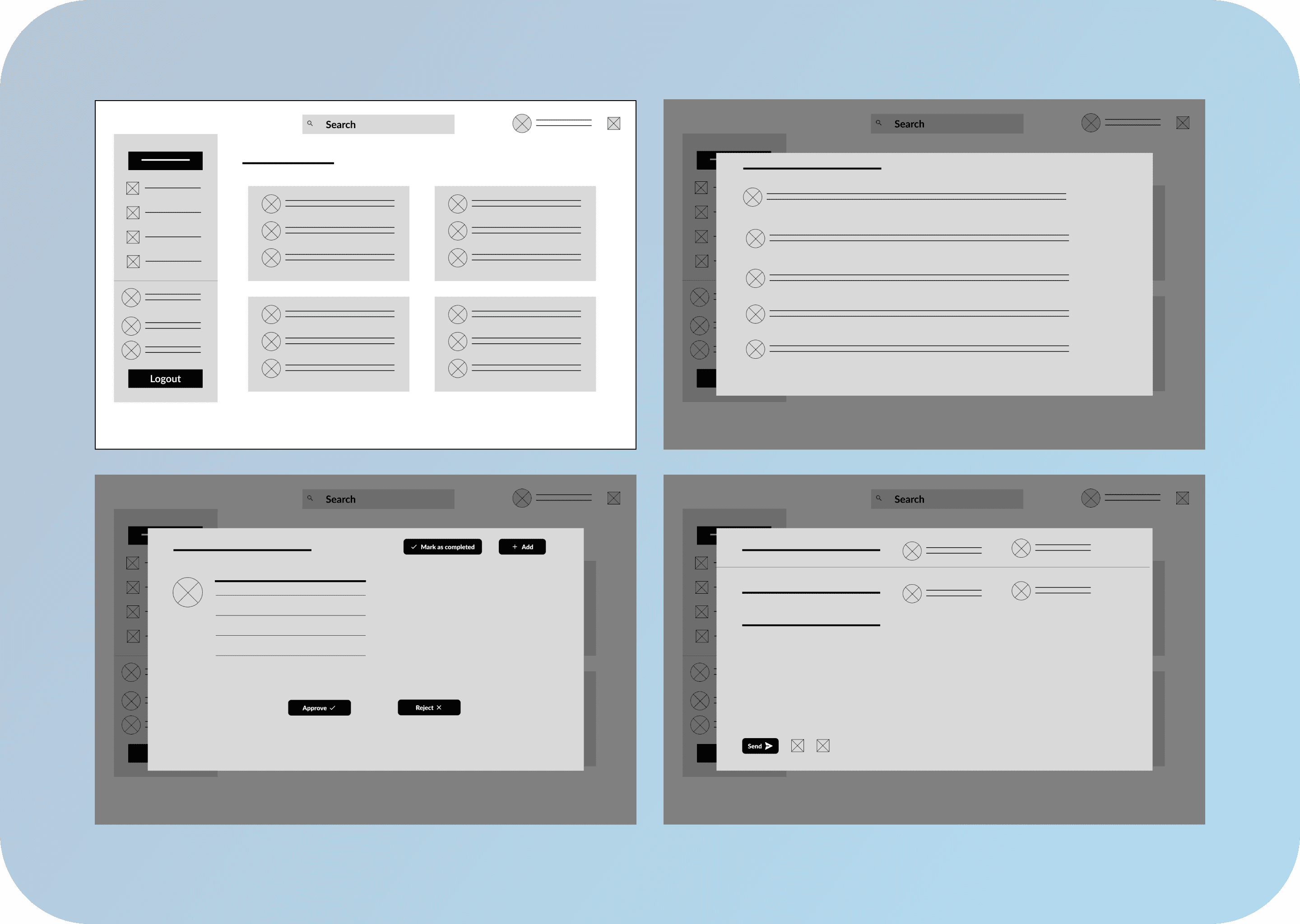
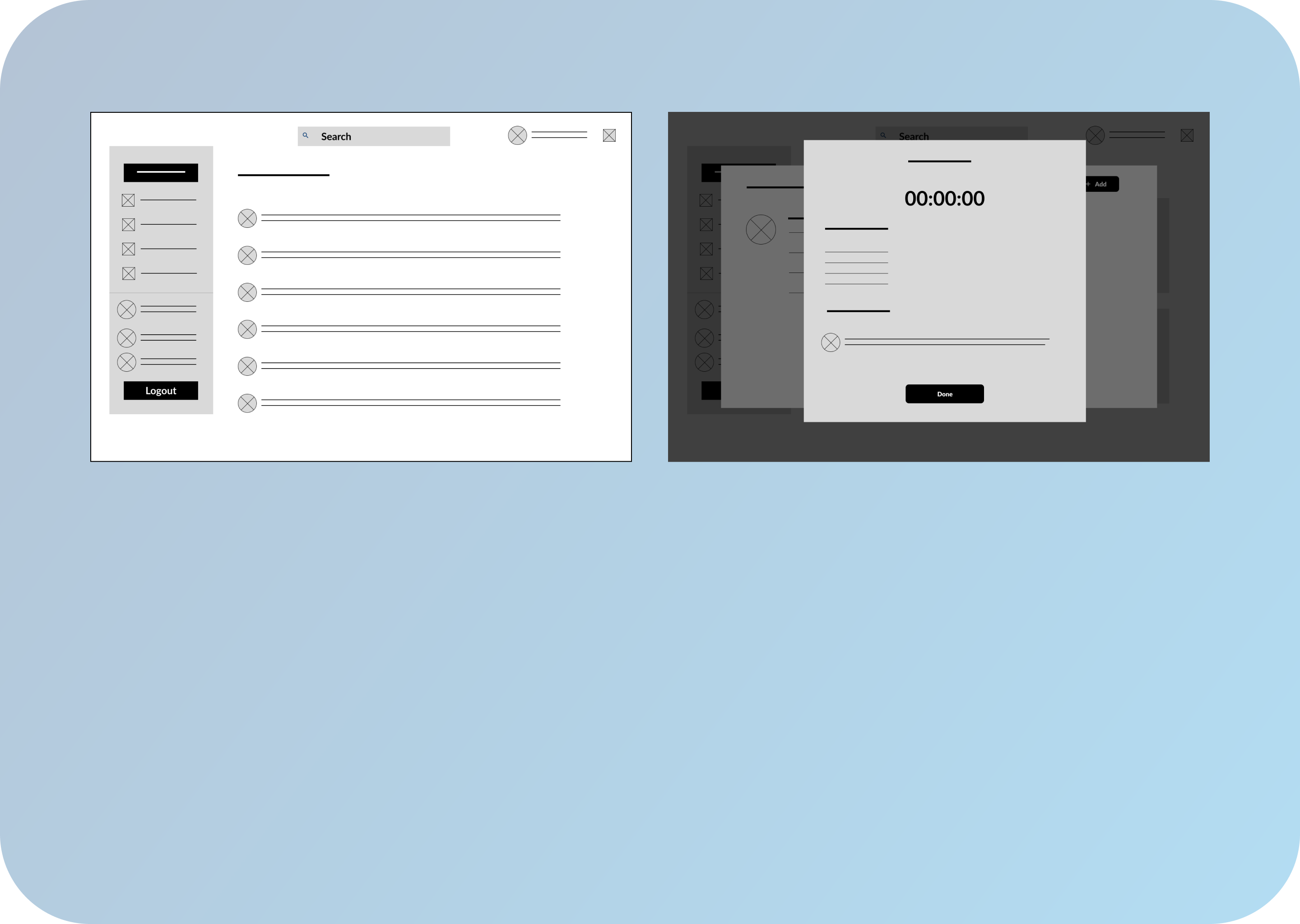
Digiatal Wireframes I prepared digital wireframes which I used to establish the form, structure and functionality of the software. The digital wireframes served as a crucial step in the design process, enabling me to validate the usability and effectiveness of the software.
Digiatal Wireframes I prepared digital wireframes which I used to establish the form, structure and functionality of the software. The digital wireframes served as a crucial step in the design process, enabling me to validate the usability and effectiveness of the software.
Digiatal Wireframes I prepared digital wireframes which I used to establish the form, structure and functionality of the software. The digital wireframes served as a crucial step in the design process, enabling me to validate the usability and effectiveness of the software.
Low fidelity Prototypes I created a low fidelity protoype using the digital wireframes I designed. I used this prototype for early usability testing sessions to get insights that would inform design decisions.
Low fidelity Prototypes I created a low fidelity protoype using the digital wireframes I designed. I used this prototype for early usability testing sessions to get insights that would inform design decisions.
Low fidelity Prototypes I created a low fidelity protoype using the digital wireframes I designed. I used this prototype for early usability testing sessions to get insights that would inform design decisions.
Usability Studies. Using the low fidelity protoype, I carried out usability studies. Findings from the usablitity study gave me key insights into what the users wanted out of my software, and how my software could better meet their needs. Below are a few findings from the usability studies I conducted. Findings 1. Users want to be notified when their approval requests reach different stages. 2. Users don't want an interface that is complicated and would take too long to get familiar with. 3. Users want features that are easy to use.
Usability Studies. Using the low fidelity protoype, I carried out usability studies. Findings from the usablitity study gave me key insights into what the users wanted out of my software, and how my software could better meet their needs. Below are a few findings from the usability studies I conducted. Findings 1. Users want to be notified when their approval requests reach different stages. 2. Users don't want an interface that is complicated and would take too long to get familiar with. 3. Users want features that are easy to use.
Usability Studies. Using the low fidelity protoype, I carried out usability studies. Findings from the usablitity study gave me key insights into what the users wanted out of my software, and how my software could better meet their needs. Below are a few findings from the usability studies I conducted. Findings 1. Users want to be notified when their approval requests reach different stages. 2. Users don't want an interface that is complicated and would take too long to get familiar with. 3. Users want features that are easy to use.
High Fidelity Designs
High Fidelity Designs
High Fidelity Designs
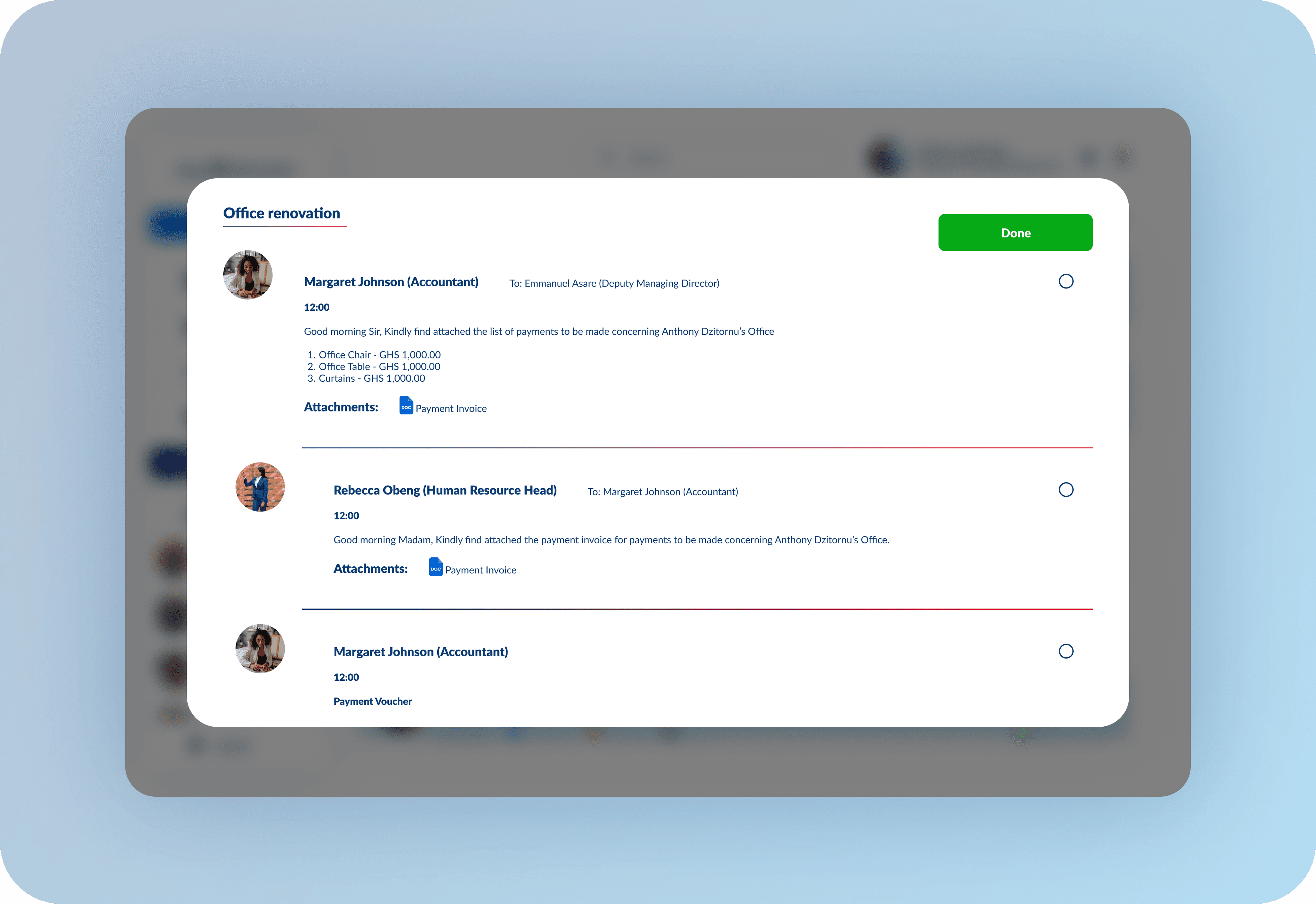
After gaining insights from the usability studies I conducted, I designed high fidelity mockups for the software. Below are some of the key high fidelity mockups.
After gaining insights from the usability studies I conducted, I designed high fidelity mockups for the software. Below are some of the key high fidelity mockups.
After gaining insights from the usability studies I conducted, I designed high fidelity mockups for the software. Below are some of the key high fidelity mockups.

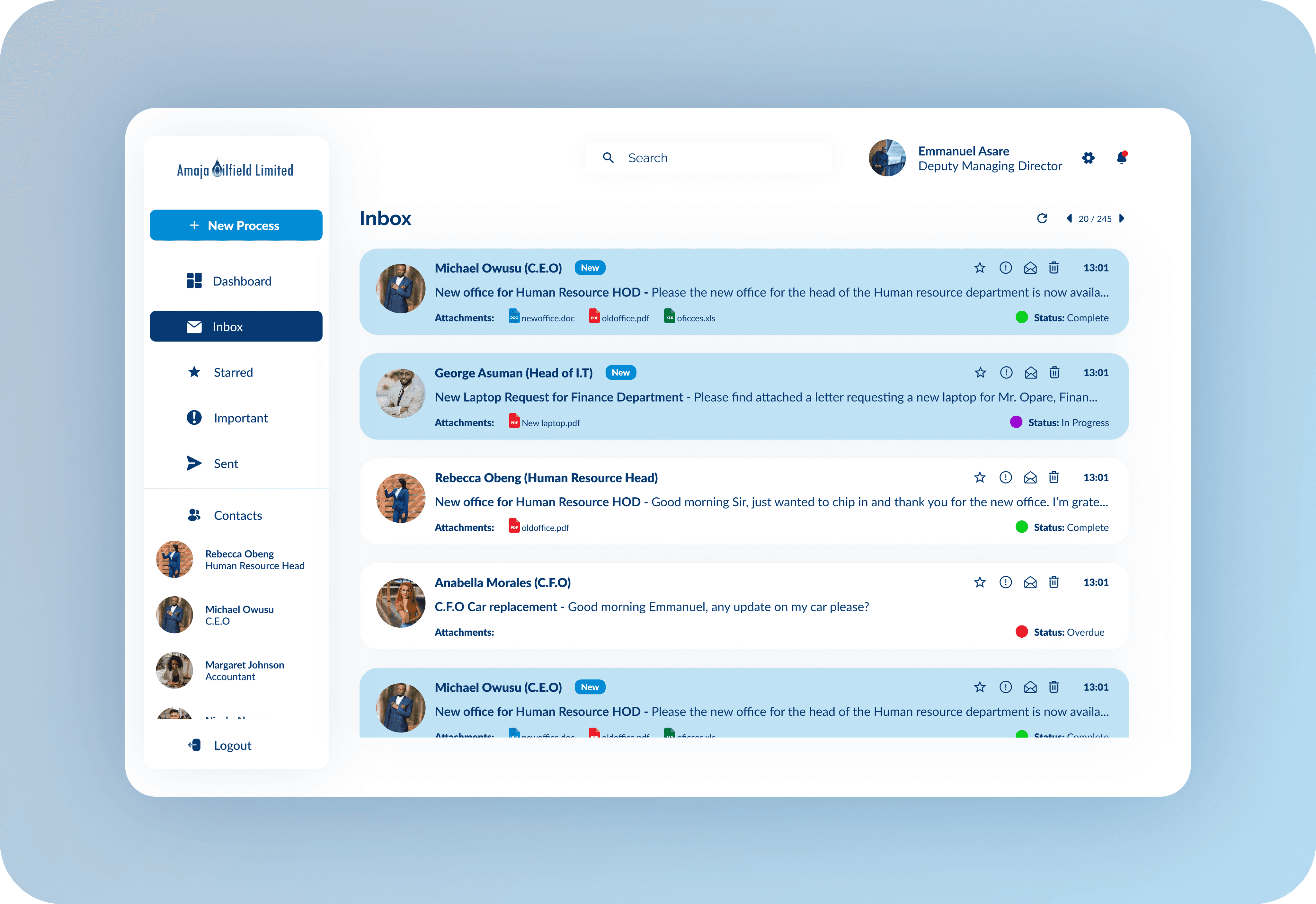
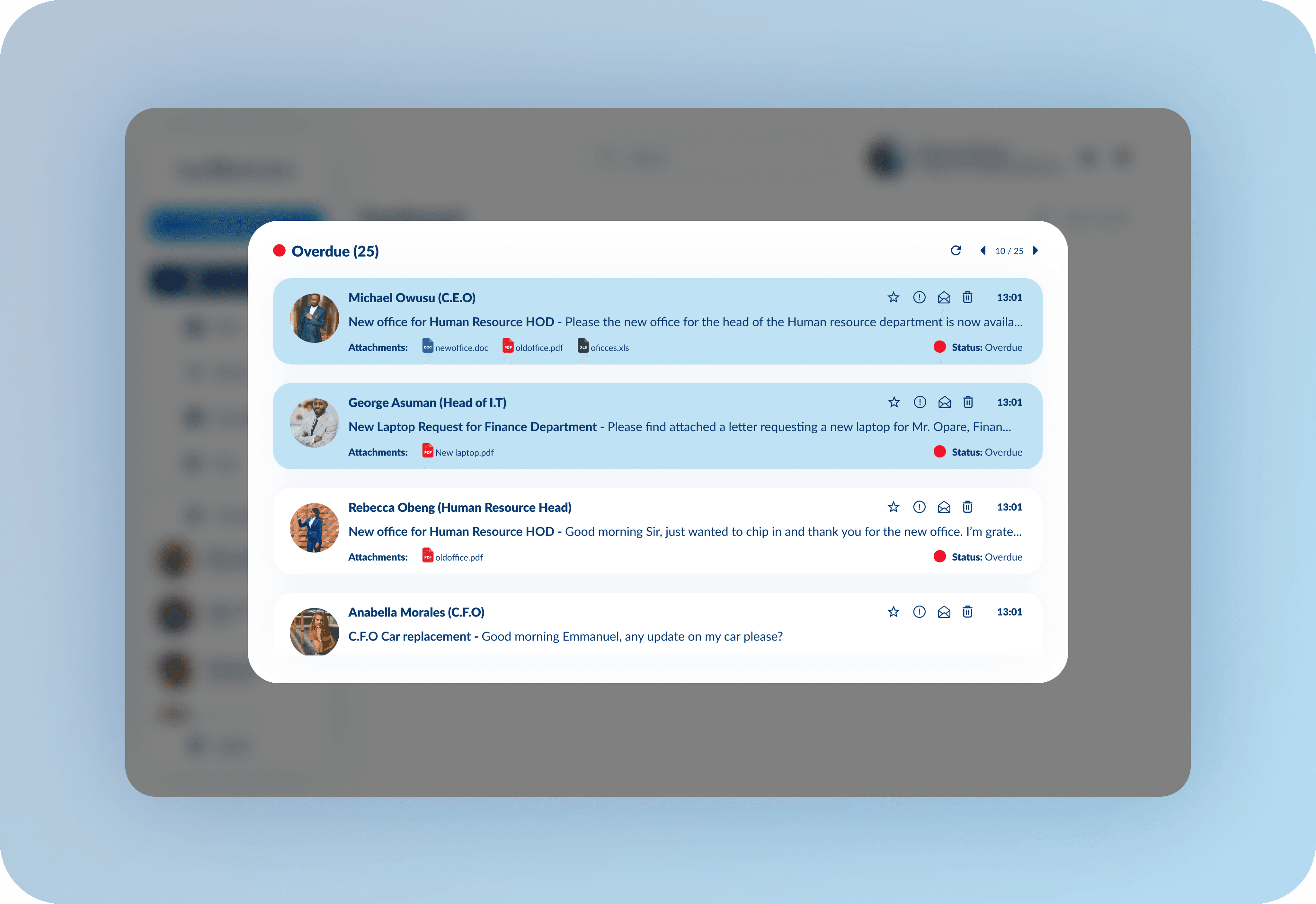
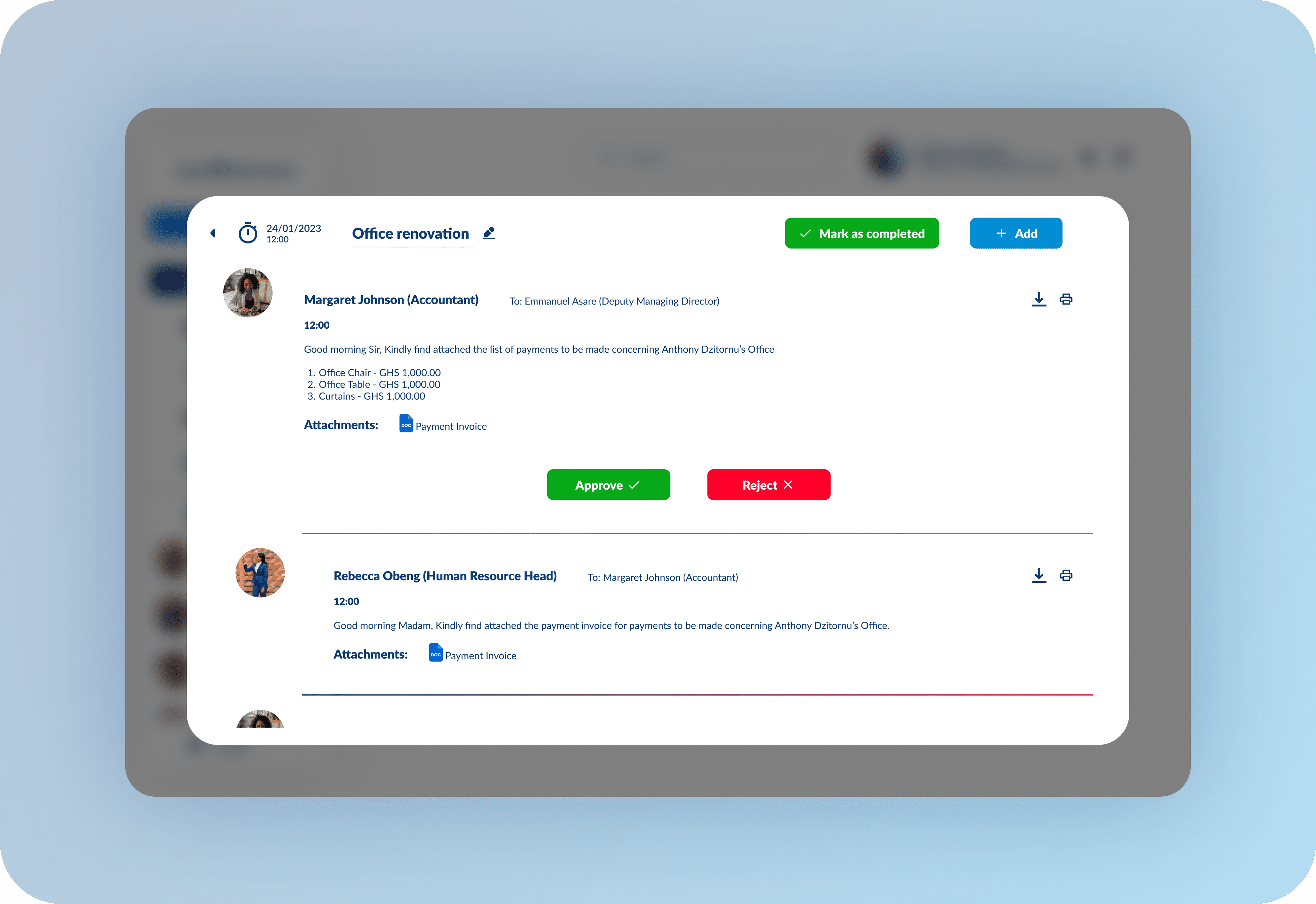
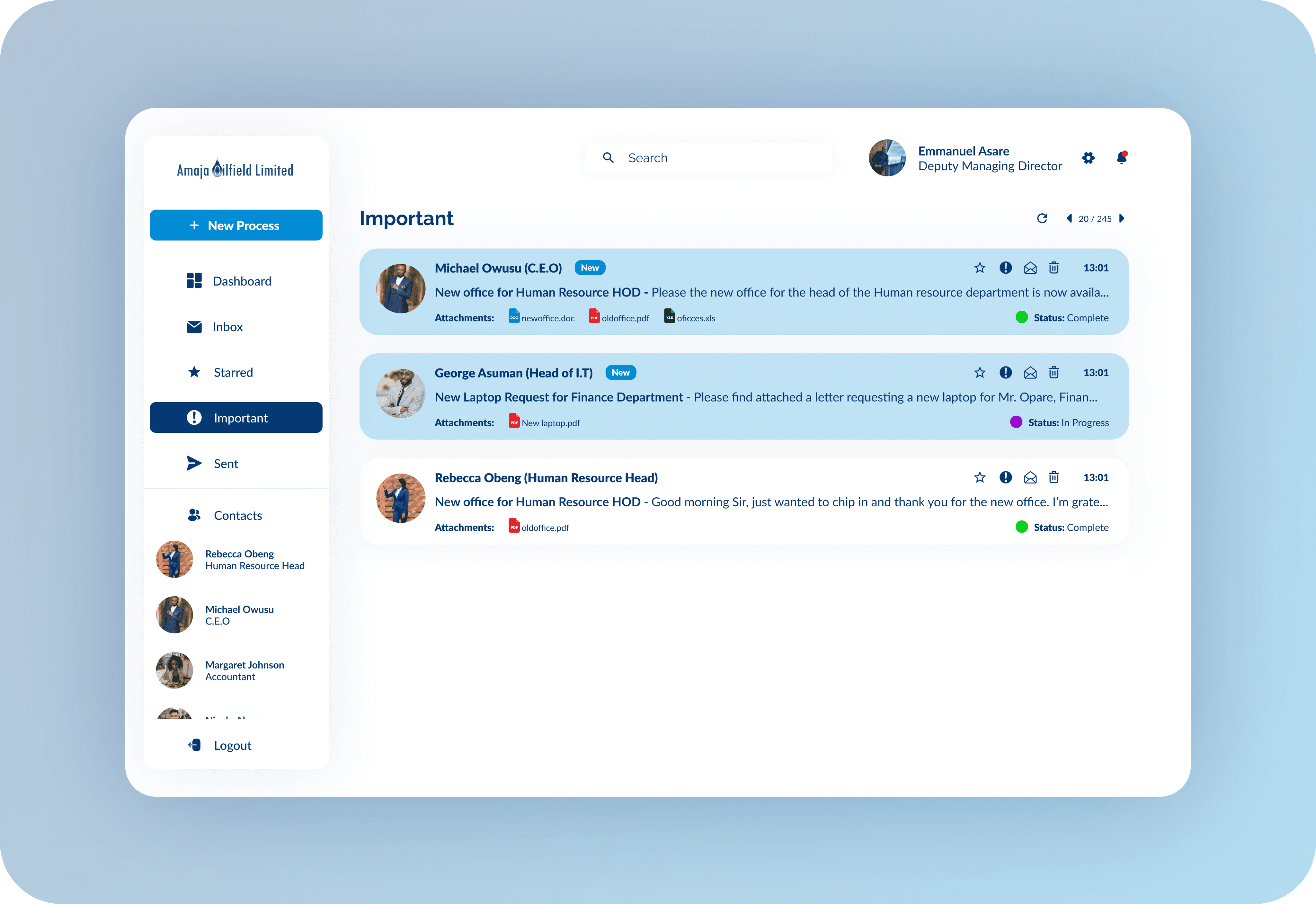


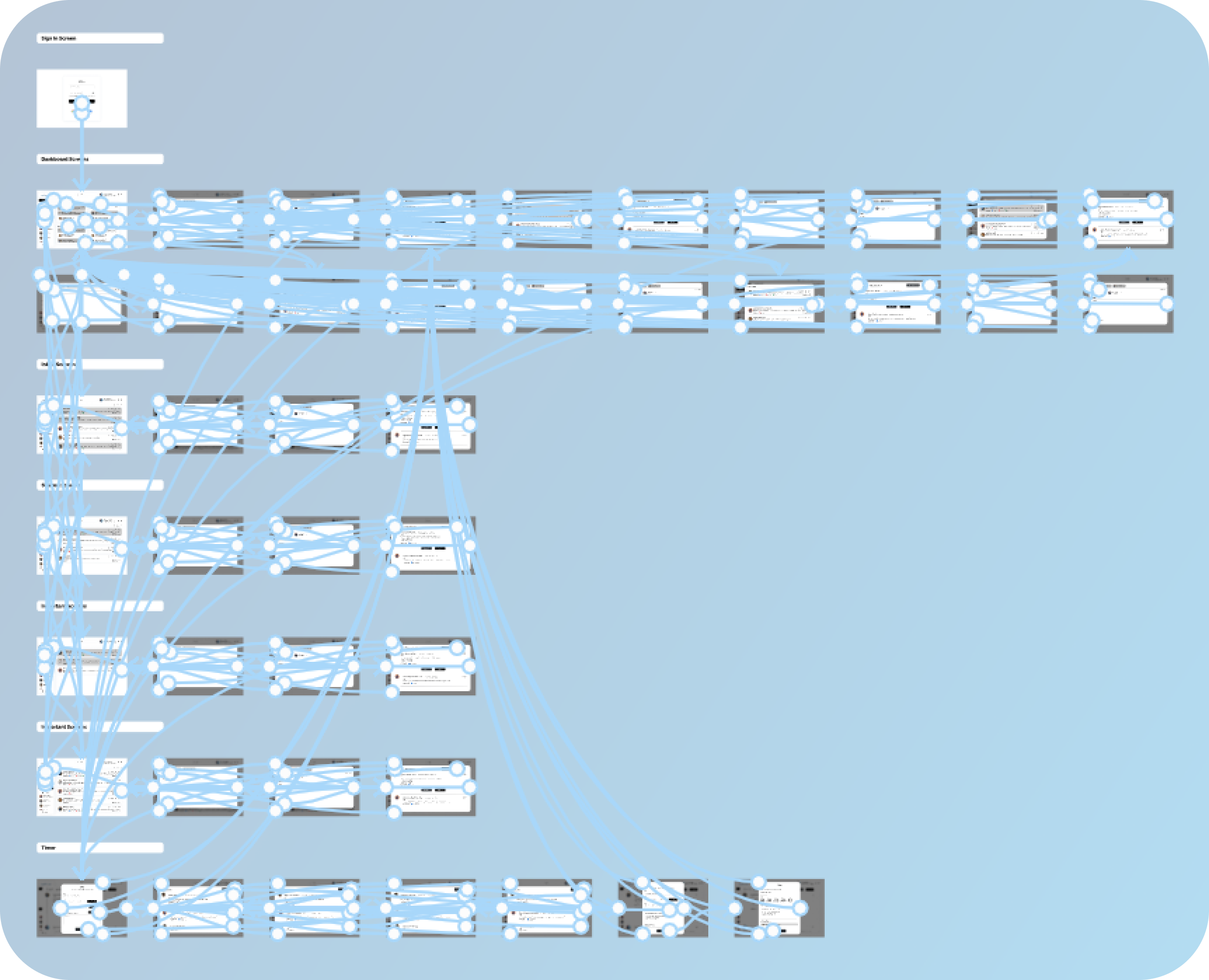
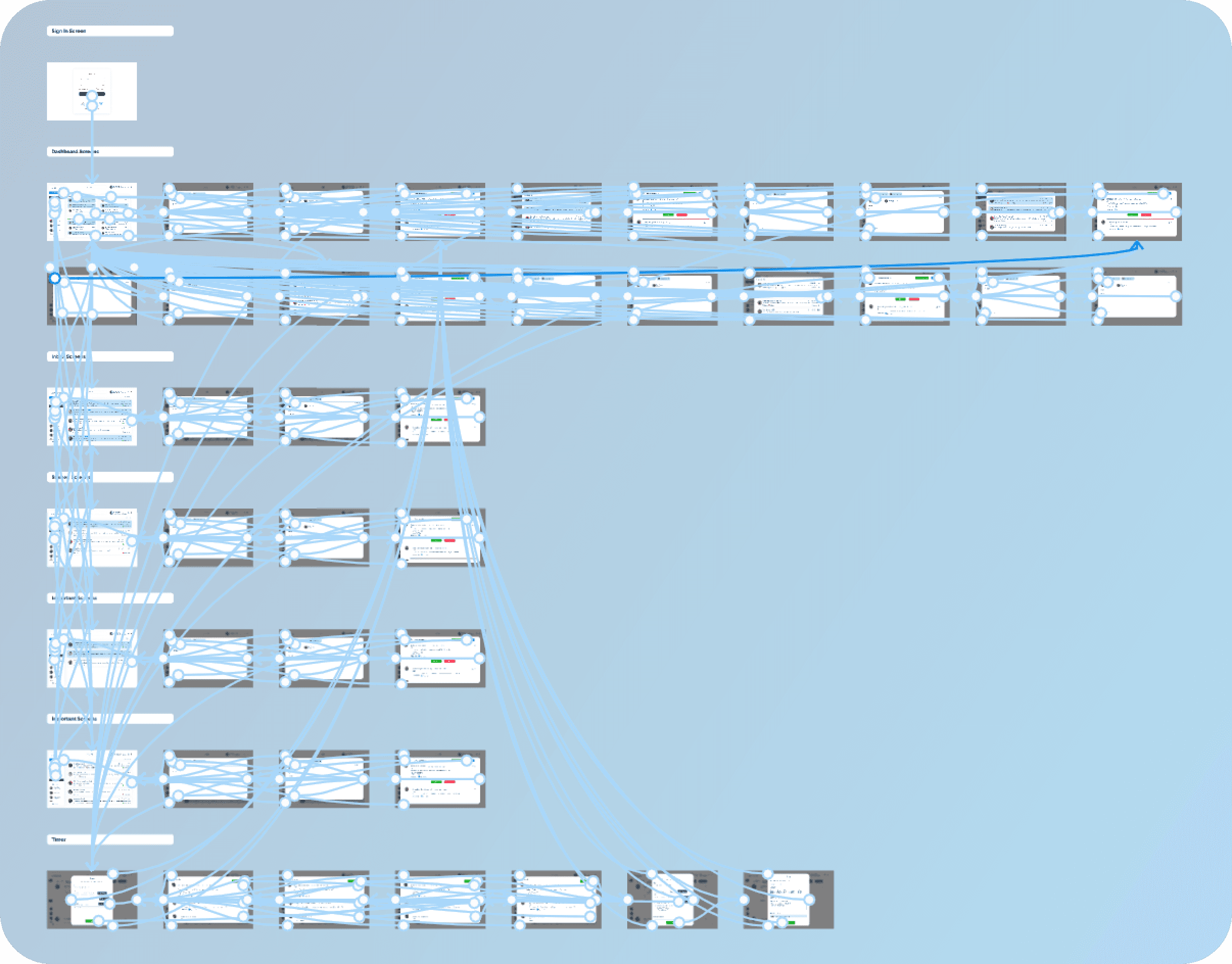
High Fidelity Prototype I finally prepared a high fidelity prototype that simulated the flow of the software and presented the complete high fidelity experience of the software.
High Fidelity Prototype I finally prepared a high fidelity prototype that simulated the flow of the software and presented the complete high fidelity experience of the software.
High Fidelity Prototype I finally prepared a high fidelity prototype that simulated the flow of the software and presented the complete high fidelity experience of the software.
Accessibility considerations 1. Make images accessible for screen readers by adding alternative text, thus users with visual impairments can have access to the content. 2. Make notifications easily accessible 3. Used descriptive text to make it easy for users to understand the features in the software and what they do.
Going forward
Going forward
Going forward
Takeaways Impact The software makes it easy for workers in any industry who use an approval system between low, mid and high level workers to automate their approval system, and make it easier for them to keep track of thier approval requests. This saves time and and increases productivity by reducing the relieance on paper based systems, and giving them notifications that they wouldn't get using emails. What I learnt While doing research for this software, I learnt that notifications help users a lot, and can be crucial to their experience with a software or application.
Next Steps 1. Design a resposive tablet and mobile view of the software. 2. Conduct more research to identify any new areas of need.
Want to work
Want to work
Thanks for checking out my case study.
Thanks for checking out my case study.
Thanks for checking out my case study.
I specialize in creating exceptional digital products that lead to great experiences for users and help my clients and organizations achieve their business goals.
Thank you for viewing Daniel Selorm Ocloo's Portfolio
I specialize in creating exceptional digital products that lead to great experiences for users and help my clients and organizations achieve their business goals.
Thank you for viewing Daniel Selorm Ocloo's Portfolio
I specialize in creating exceptional digital products that lead to great experiences for users and help my clients and organizations achieve their business goals.
Thank you for viewing Daniel Selorm Ocloo's Portfolio